
Planning your next event?
Take a self-guided tour of Splash.
Try an Interactive Demo

Team Management

Behind every great event is a great event team.

Optimize talent and bandwidth by assigning roles and enabling collaboration across teams.

Roles

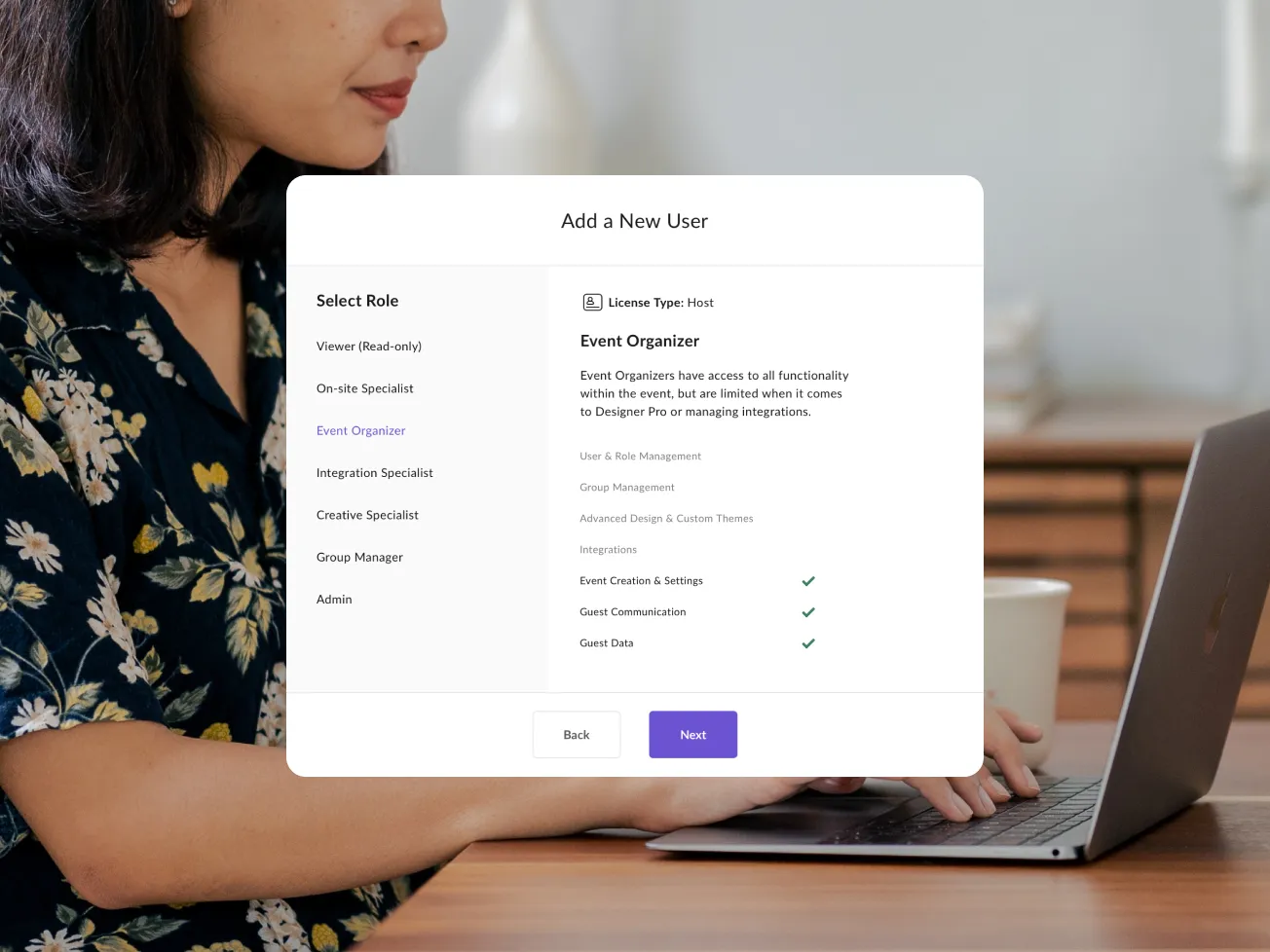
Assign — and customize — user roles.

Splash offers seven roles to support the modern marketing team. Each role includes a unique set of permissions and access to the platform. You can also customize roles to meet your team’s unique needs.

A person at a laptop with a Splash 'Add a New User' dialog open, showing role options including Viewer, On-site Specialist, Event Organizer, and Admin with customizable permissions

Groups

Unlimited team collaboration.

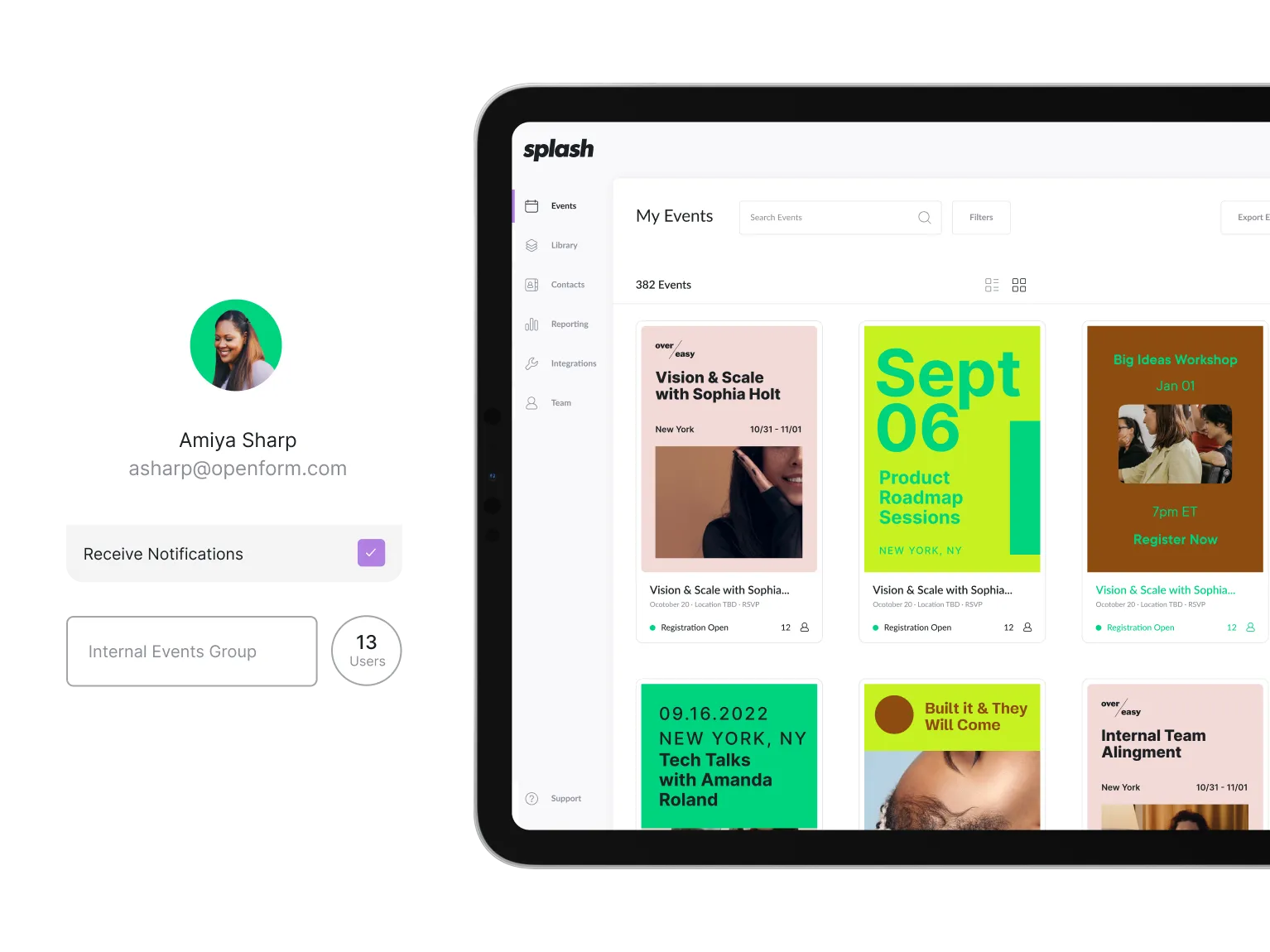
Segment team members into groups, such as departments or regions, to ensure users have access to the right events. At login, users can access an easy-to-navigate personal dashboard to manage events and collaborate with team members in one location.

A user profile card showing a team member assigned to an Internal Events Group, alongside a tablet displaying the Splash events dashboard with a grid of branded event pages

Brand Library

A central asset library keeps everyone on-brand.

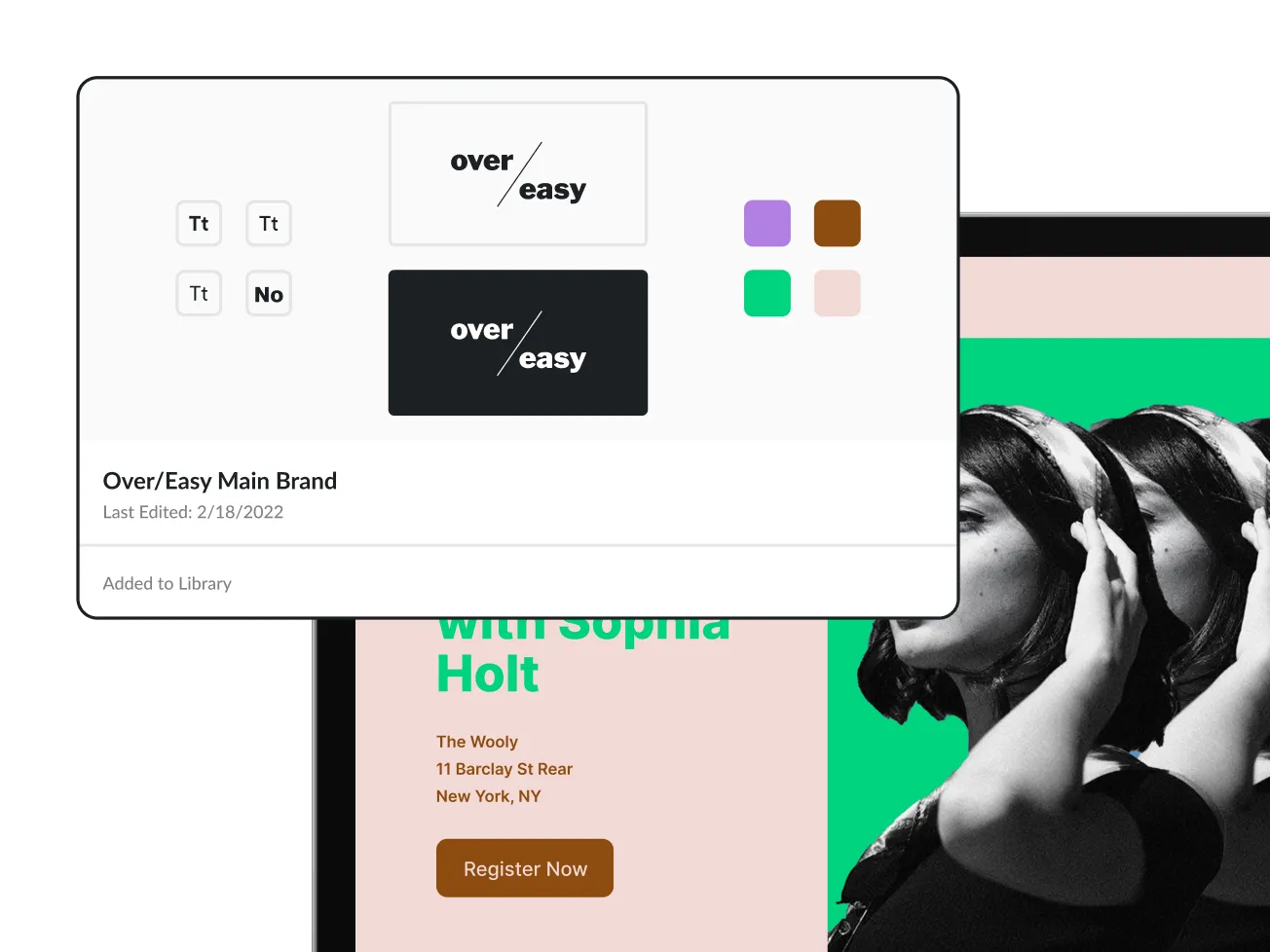
Ensure brand consistency across every event and through every touchpoint. Upload your brand’s fonts, colors, and logos Day 1, to ensure all future events remain on-brand.

Restrict access by role to guarantee only approved assets are in play.

The Splash Brand Library showing the Over/Easy brand kit with saved fonts, logo variations, and color swatches, alongside a preview of a branded event page using those assets

Form Library

Maintain compliance with approved forms.

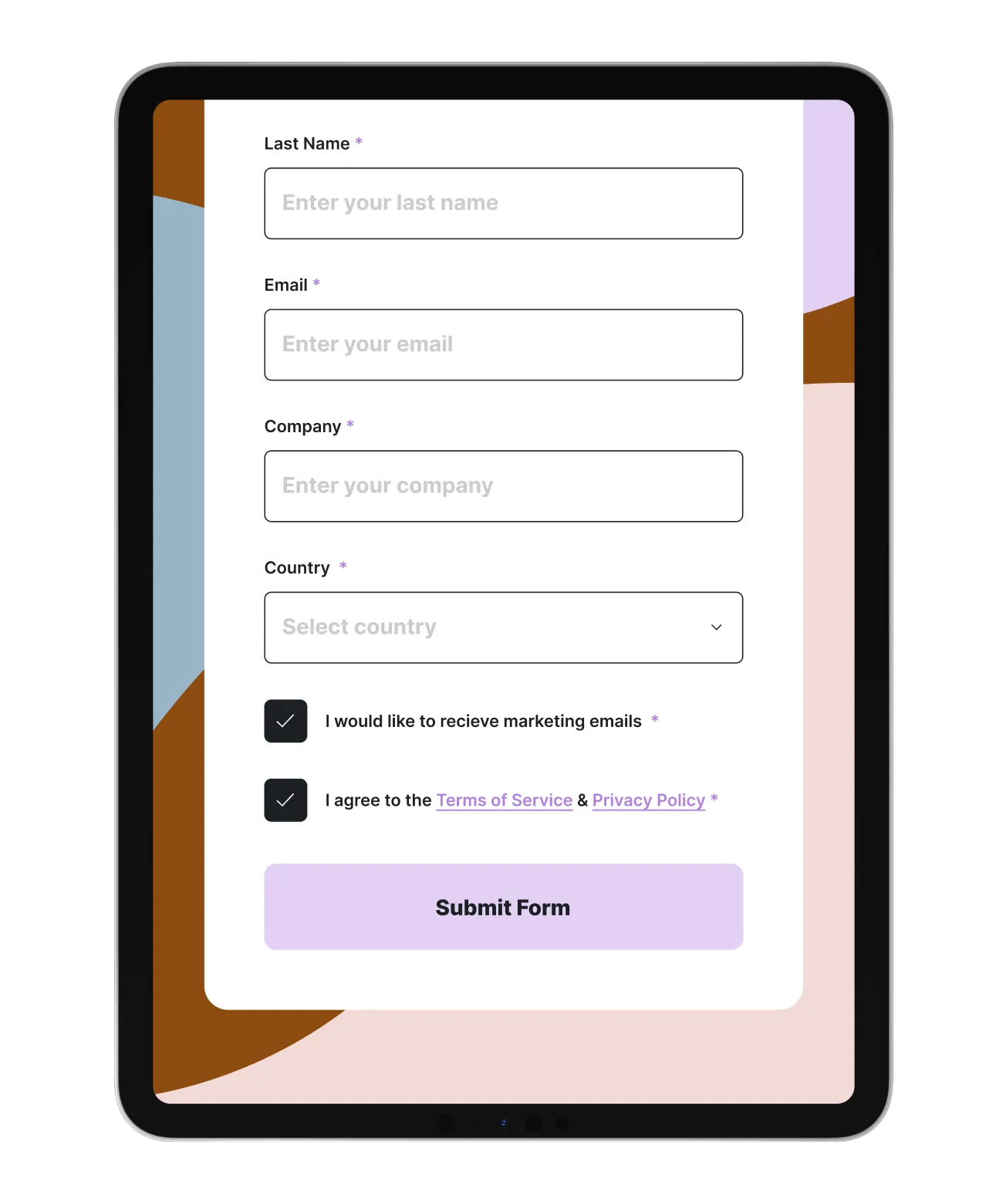
Build a library of forms that adhere to your organization’s compliance standards. Whenever a form is edited, it updates your library in real-time across your events.

Allow attendees to opt-in to emails
Link to your privacy policy and terms and conditions
Share required legal information based on attendee country
Use logic to hide or show questions based on previous responses

Splash also supports the right to be forgotten and syncs unsubscribe info across systems.

A tablet displaying a Splash event registration form with fields for last name, email, company, and country, plus checkboxes for marketing email opt-in and agreement to terms of service

Splash Roles

There’s a role for everyone in Splash.

Admin
Manages users and ensures the organization’s top-level components — brand and form assets, reporting dashboards, and integrations — are set up and maintained.
Group Manager
Organizes team structures and gives team members access to the right events.
Creative Specialist
Manages brand assets and templates across the platform.
Event Organizer
Creates and maintains events and ensures seamless guest experiences, from event and registration pages to invitations and post-event follow-ups.
Integrations Specialist
Connects Splash to your tech stack to automate workflows and keep your systems and data synced.
On-Site Specialist
Provides attendees with a flawless check-in experience using the Splash Host app.
Viewer (Read Only)
Offers visibility into the most important prospects and contacts attending an event.

Before Splash, it would take us at least two weeks to launch our events out in the market. Now, we're able to create beautifully customized experiences for a variety of use cases in a matter of seconds. Splash has given us the solution we needed to be nimble and enabled us to pivot our attention from busy work to focus on what matters most.

Alexa Murcia
Director of Field Marketing, Visier
See Splash in action. Get started today.