





Brick and mortar retail is here to stay, and Splash customers are making that abundantly clear. There is a common misconception that the rise of e-commerce will kill in-store sales and traffic. While that might be true for some brands, we’re seeing our retail customers increase in-store sales and foot traffic year-over-year because of a few key factors: the right internal support, the ability to execute in-store initiatives, and the biggest influencer: a scalable event marketing strategy.
When it comes to retail events, what really moves the needle? For the brands doing it right, the differentiator is doing these events at scale, which is only possible through seamless collaboration between headquarters, district managers, and store managers. What makes this collaboration even simpler? Splash.
When store managers have the freedom to be as creative as possible, the events they create will be much more successful. However, it’s still crucial that all event content and marketing material be on brand. This is why the headquarter-office teams of our retail customers use Splash to create branded event marketing templates.
These templates, which include landing pages, emails, registration forms, and social sharing materials, can be pre-loaded with fonts, colors, logos, and seasonal header images that are locked off to stores, and can only be changed by Splash users who have the proper permissions. By taking these steps, retailers can ensure that any hosted event will always reflect the most current branding styles and include required copy and footers.
Our most successful retail customers embrace their store managers’ creativity and knowledge of local markets. They also have corporate-level data that can help optimize events — for instance, determining the best time of day to host an event in a regional market. To combine the two sources of knowledge, some customers have implemented request forms that let the store managers gather and send all necessary details to management to create an event page. Once a store manager submits the form, he or she receives an automated email from Splash saying the event request was delivered and awaiting approval from their district manager.
Splash makes it stress-free for our team at headquarters to enable over 180 retail locations to propose and execute in-store events. With Splash, we know all store outreach for our events will be on brand and on message. The individual store managers and their district managers are also empowered to use their deep knowledge of local markets to create events that work best for their stores.

The event idea is dreamed up, the framework is laid, and the event request form has been submitted. Now, it’s in the hands of the district managers to approve. Splash’s organizational setup tools allow stores to be directly associated with specific district managers, meaning the appropriate district manager will automatically receive an email from Splash when one of their stores submits an event request.
If a district manager approves the event idea, that event can be published to a centralized events calendar on a webpage. Splash calls this an “event hub,” and it’s easy to create one right from Splash, without relying on outside design and developer resources. With a vanity URL, this page can blend in with the rest of a brand’s website, and visitors never know they’re on a Splash-hosted page.
We love the event hub functionality in Splash. It allows us to easily add new in-store events to our national event calendar, which gives us a single URL we can link to across social media, our website, and in email footers. It’s an effective holistic reference for our store activations and is easy to manage internally as well.

Like J. Crew, many retail brands choose to promote this events calendar link from their home page or in email communications and social media. Regardless of the marketing efforts that are done at a local level, stores can rest easy knowing their events are being promoted through the brand’s broader marketing channels.
After each event is completed, stores can receive a post-event recap survey straight from Splash’s survey module. With survey visibility, HQ can capture both qualitative and quantitative event data: overall event success, gross sales, average order value, average unit per transaction, etc.
For brands not leveraging the Splash survey module, district managers may receive countless email recaps from their stores and left to their own devices to format the data for proper reporting. With Splash, event data collection is automated and can be made immediately available to HQ teams. Even better? District managers can track via their internal dashboards to see when a store is late to submit their event data.
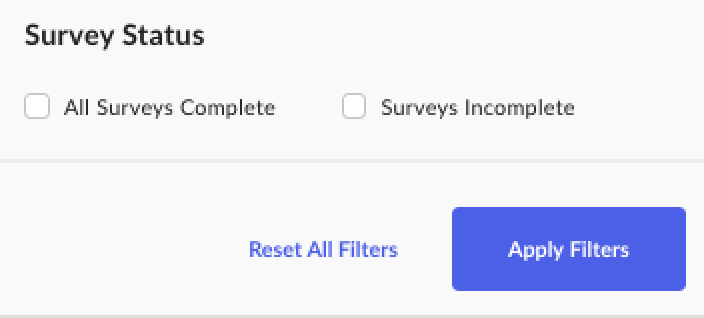
The reason these surveys are valuable is that they provide immediate feedback—both qualitative and quantitative—and are condensed into reports for the team at HQ to review. Sure, they might get this in a quarterly or annual report, but the district managers and team at HQ may need access to this feedback immediately. With Splash, everyone with a license can access the reporting tools in Splash and review activity shortly after each event.
Splash adds value to two major areas in the retail event strategy: improving workflow and collecting data. You can see in steps 1-5 that the workflow for retail events can be superbly simple, but what about the data? Yes, everyone with a Splash login can see the data in the reporting dashboard too, but then what? Data is supposed to drive decision-making, and with Splash’s API, customers can send new consumer data (such as name, email, and opt-in) and their activity (registered or attended) to their internal systems, which better serves their customers by adding event data to a single customer profile view.
Splash has made event data much more accessible and meaningful. We’re able to use it more effectively to optimize the customer experience and understand intent, the same way we’re able to use email open and click data toward those goals.

If you live in the retail world and play a role in event creation, this seamless story of scale could be yours too. Our customers with the most successful event strategies have a few checks in place that make their stories that much sweeter: in-store technology, a healthy relationship between district managers and stores, buy-in from the corporate marketing and store operations, and an integrated CRM system. There’s no time like the present to start implementing a better process and a scalable event strategy that directly affects sales, so take a look around the Splash product suite and get a demo. It’s the first step to make your retail event dreams a reality.


