Product Pulse: May 2025

Published
May 20, 2025
Last Updated
Category
Company & Product News
Start Reading ↓
Written by
Perry Piep
Subscribe to get new blog posts delivered to your inbox.
2
minute read
Complete
Subscribe
More Blog Posts
In a hurry? Read the summary.

Summer right around the corner means it’s finally time for The Beach Boys to re-enter the queue.

Don’t Worry Baby is my go-to track.

It’s calm and uplifting —

The exact feelings we aim for with every Splash release.

So go ahead and take a listen while we run you through this month’s latest updates.

The future of session registration never looked so bright

Personalization continues to be a hot topic in the world of events.

One of the best ways to discover what your audience cares about?

Give them choice — usually in the form of diverse, bite-sized content.

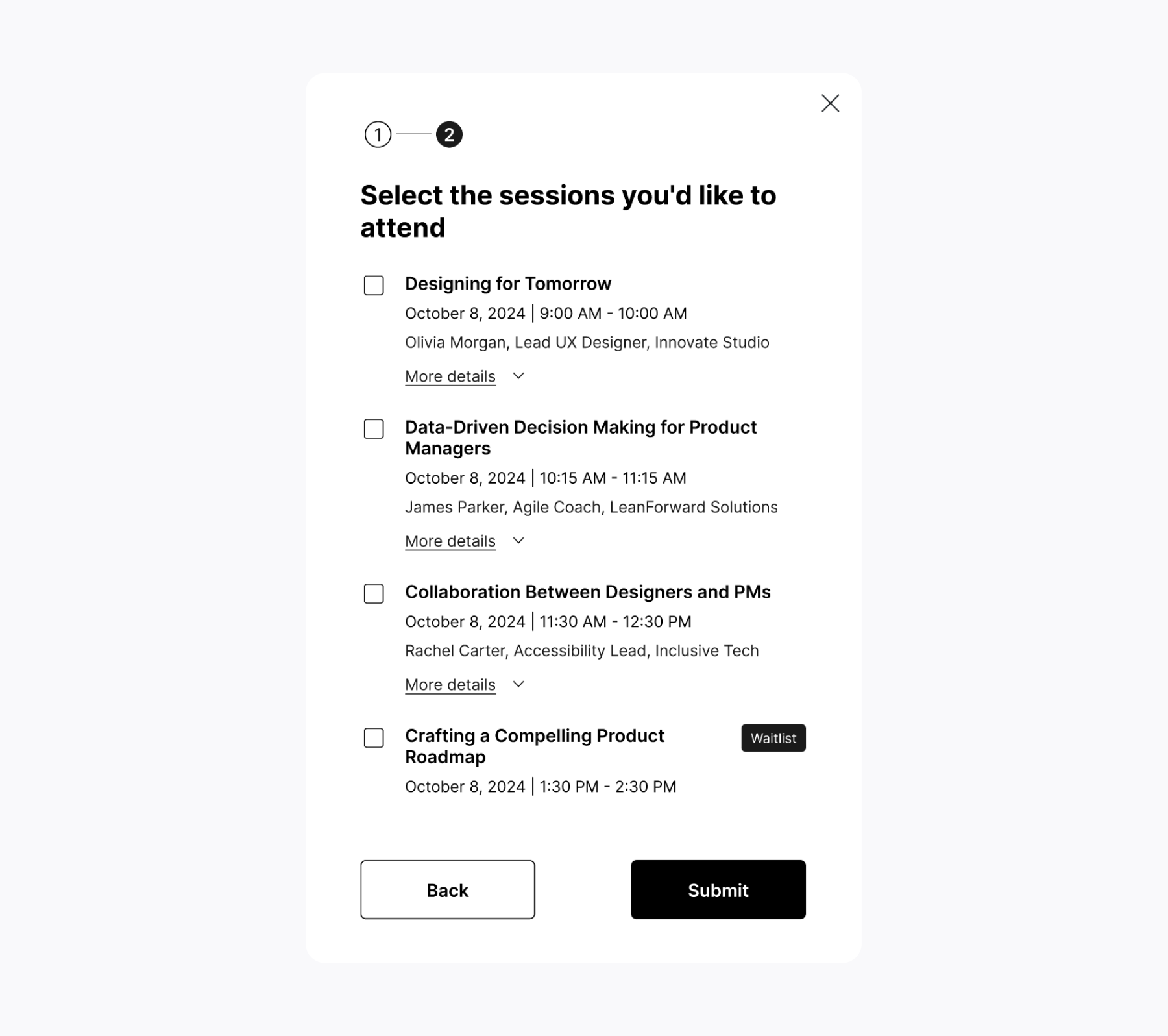
That’s why we’re continuing to make multi-session events better.

One of our biggest updates yet is right around the corner:  

In-flow session registration.

Coming soon, guests can choose sessions and build their schedules RIGHT from the moment they hit “Register.”

That means:

  • Fewer clicks and jumping between tabs for attendees
  • Faster insights and better upfront planning for hosts

The final touches are underway, but in the meanwhile check out two small (but mighty) updates available today:

  • Styling update  > The agenda page button now automatically adopts the style of your event’s main RSVP button.
  • Experience update > To avoid confusion, the "Register Now" button is no longer visible on the Agenda Page for attendees already registered.

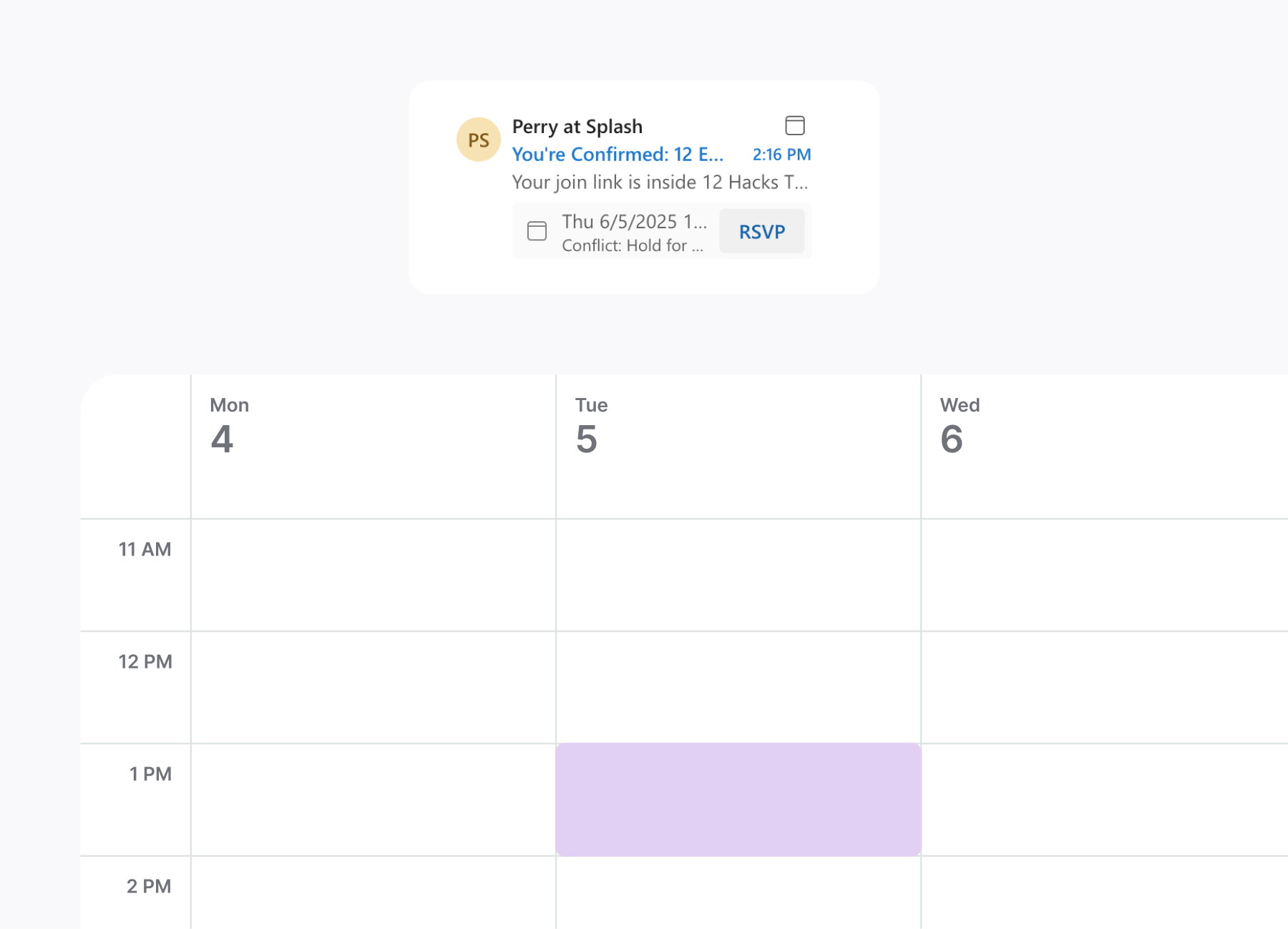
Outlook calendar management made easy

“If it’s not on my calendar, it doesn’t exist,” said every attendee ever.

Now, it’s easy for Outlook users to add registered events to their calendar.

The old way:

  1. Register to an event
  1. Click add to calendar
  1. Download an ics file from an email
  1. Maybe remember to upload the file to your calendar

The new way:

  1. Register to an event
  1. Click add to calendar
  1. Boom! The event is instantly in your Outlook Calendar

Smooth and secure login

It wasn’t long ago that we introduced a more secure Splash login experience with MFA (multi-factor authentication).

With our update coming next week, you can enjoy uninterrupted login for 30 days after a successful authentication.

The only exceptions:

  • You’re logging in on a new device  
  • You’re logging in from different locations that are far apart
  • You’re logging in from an IP address that we don’t recognize

Get Inspired: Made in Splash of the Month

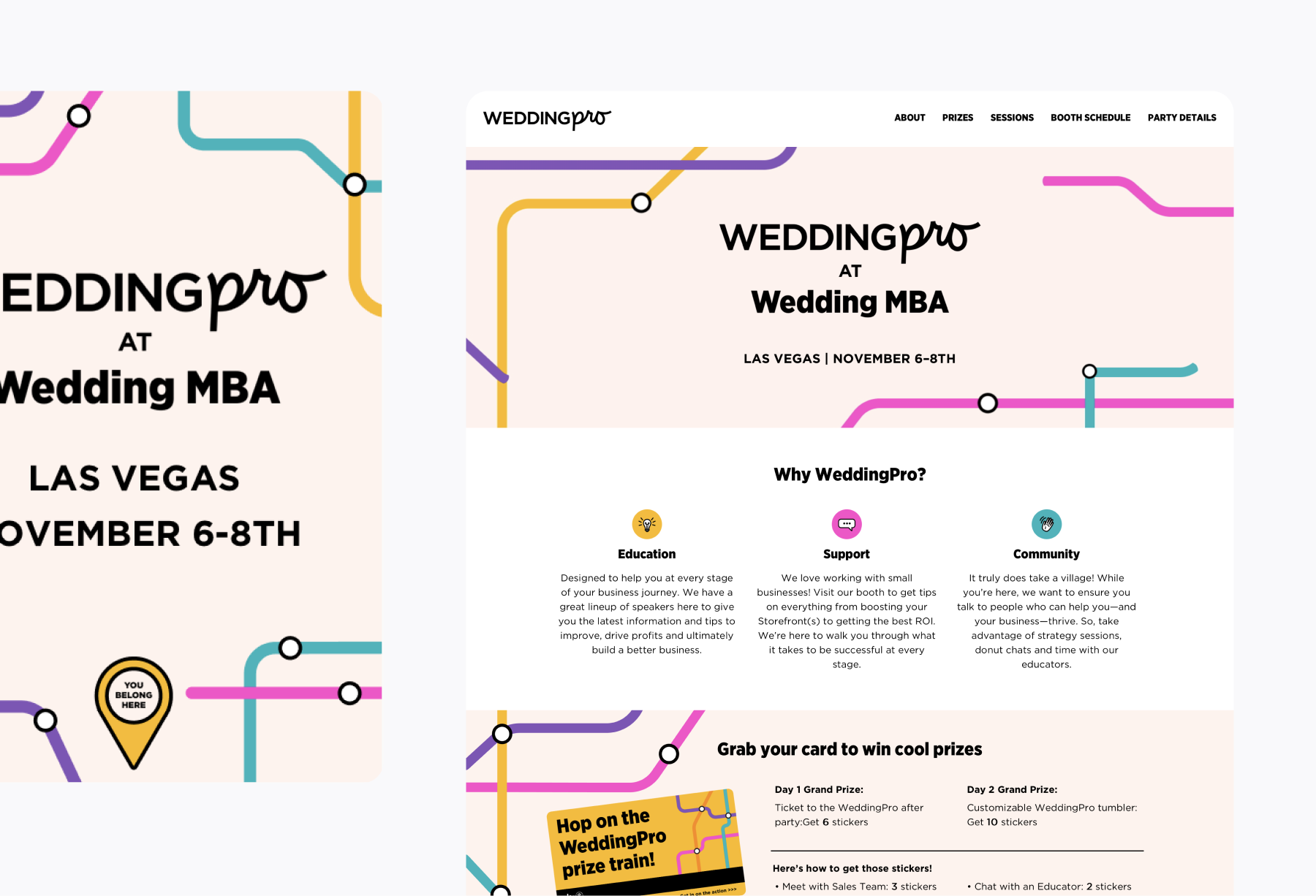
This month, we’re taking inspiration from the experts in everything wedding-related: The Knot.

Here's what we love about the WeddingPro conference page:

  • Animated cover block: The Knot’s simple but creative animation is the perfect example of how subtle movement can bring an event page to life.
  • Upfront value: There’s no hiding the value proposition here. The Knot makes it clear why attendees should join with their 3-column “Why WeddingPro” content block.
  • Agenda block heaven: The Knot shows us how simple background colors can help attendees navigate a multi-day agenda.
Written by
Perry Piep
Perry Piep is a Product Marketing Manager at Splash. As a former field marketer (and one of Splash's first customers, ever), Perry brings years of experience organizing national conferences, happy hours, tech talks, and everything in between. Currently, she is passionate about educating Splash's customers on the latest updates through content creation and her recurring webinar series, "Build It & They Will Come." When she's not on the mic, she enjoys sketching fellow commuters on the subway and relaxing at a local coffee shop.

See Splash in action. Get started today.

Book a Demo