

For our final post of 2021, we're recapping the year’s 10 most impactful Splash releases.
We promoted almost 75 new releases this year. So as you might imagine, whittling down the list to only 10 was really hard.
But choosing the top spot was surprisingly easy — especially in 2021, the year of the virtual event.
Read on to see the full top 10 and find out what feature claimed the top spot.
And from our team to yours: Thank you for creating events in a year when the world needed them most.
See you in 2022!
Did you know Splash Hubs are embeddable anywhere? With Embeddable Hubs (#10↓) you can feature your upcoming events on Splash and non-Splash pages alike, so you can amplify the impact of all your experiential programming.
The Zoom and BlueJeans webinar integrations became even more seamless. Event hosts can distribute Unique Guest URLs in Splash Emails (#9↓), bringing new levels of efficiency, branding, and performance.
Famous for flexibility described by one user as "Simone Biles-esque," our Salesforce Sales Cloud integration sports 3 New Mappable Fields (#8↓), perfect for connecting more closely with the Campaign Object.
Fans of friction-free registration ought to take a moment to rejoice. Some big-time Accessibility Upgrades (#7↓) will ensure a most delightful experience for guests using screen-readers and keyboard control tools.
Do your guests have a need for speed? Social RSVP (#6↓) allows for registration using LinkedIn and Facebook, sparing invitees from the tedium of typing.
It's been said that customer support is the beating heart of Splash. Now, it's possible to get even more love from our excellent experts in the form of 3 New Support Channels (#5↓).
In 2021, Splash released a dozen new Branded Themes (#4↓) to its public library, which included some of its most visually innovative and comprehensive templates ever.
Team Manager (#3↓) lets Splash Admins centrally manage users, roles, and groups in their Splash organization. Consider this (and #2) our tribute to program leaders.
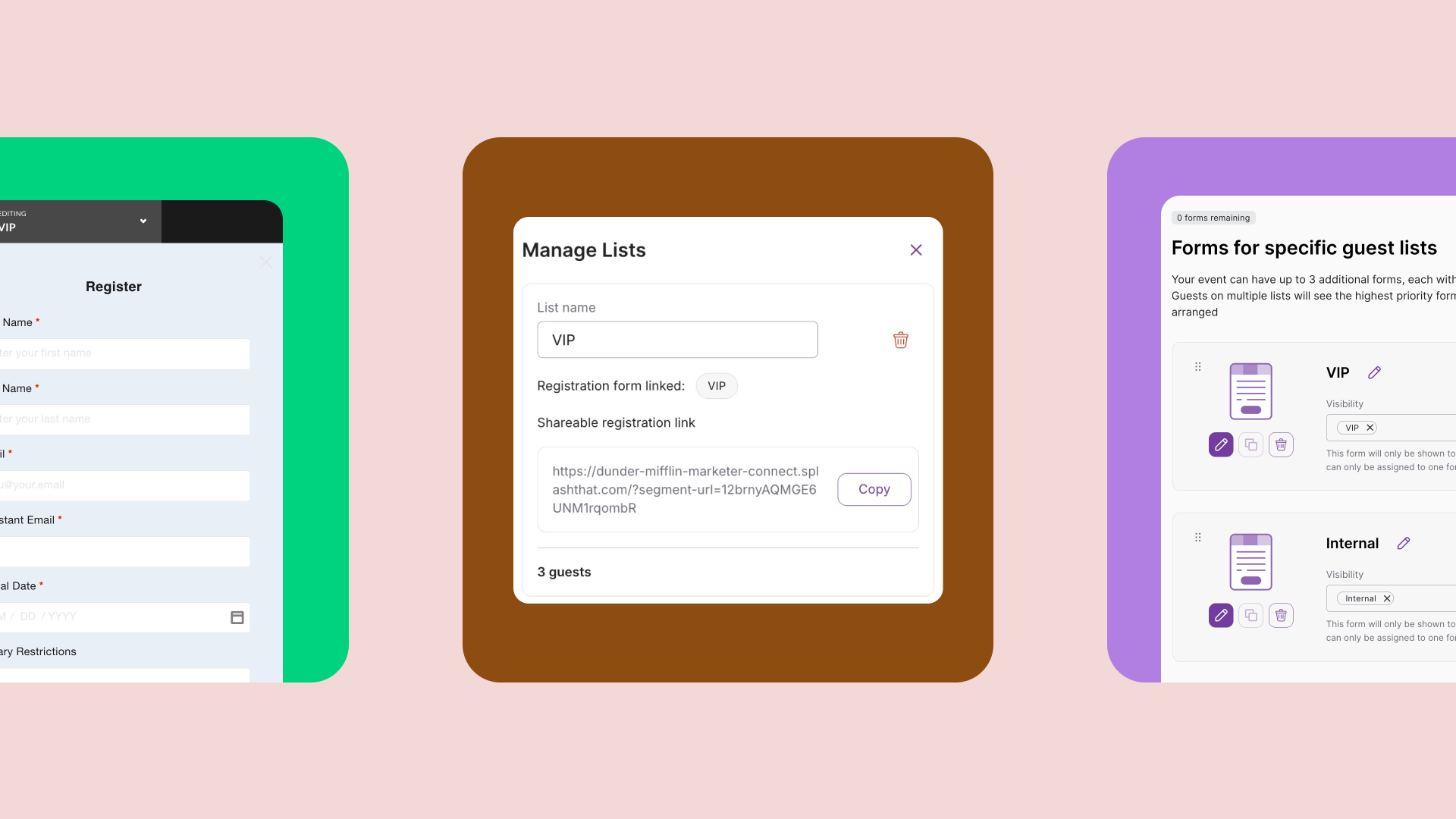
The Library (#2↓) transformed how teams work in Splash. Acting as a centralized location for event marketing assets, it ensures every event a team creates is automatically on-brand and data compliant.
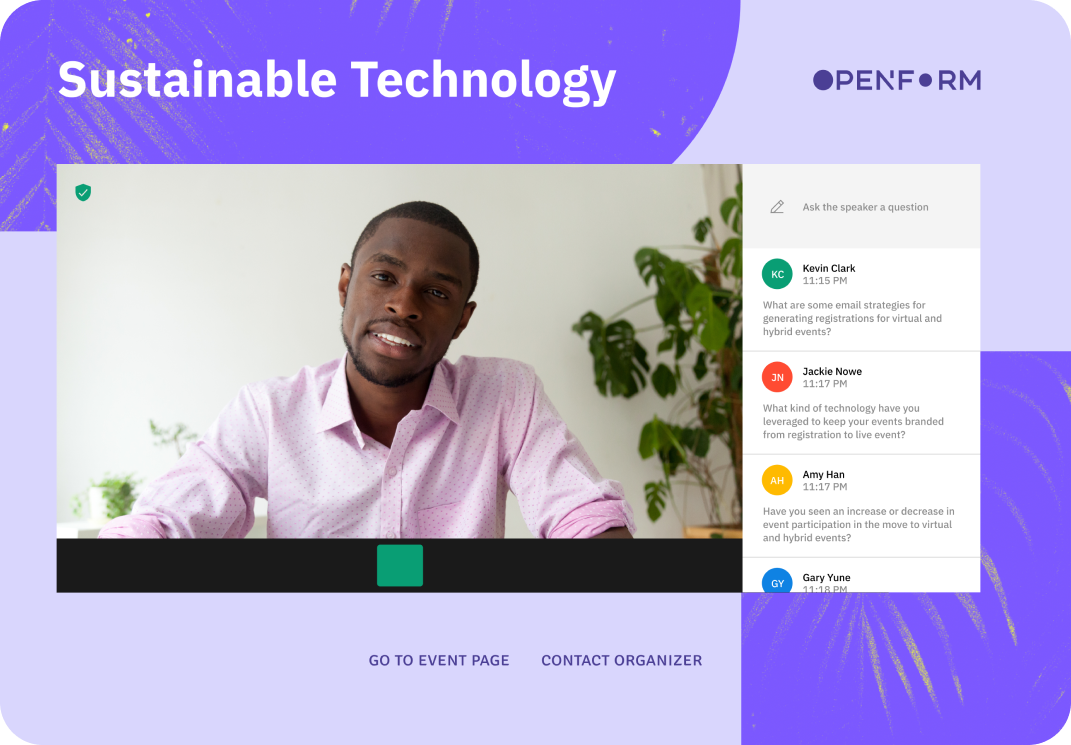
The Virtual Event Page (#1↓) makes it easy to embed your live streams, webinars, and engagement tools to create an immersive, on-brand guest experience. In the year of the virtual event, "VEP" was a slam dunk for our number one spot.
Hub functionality is available to all users with a paid Splash plan.
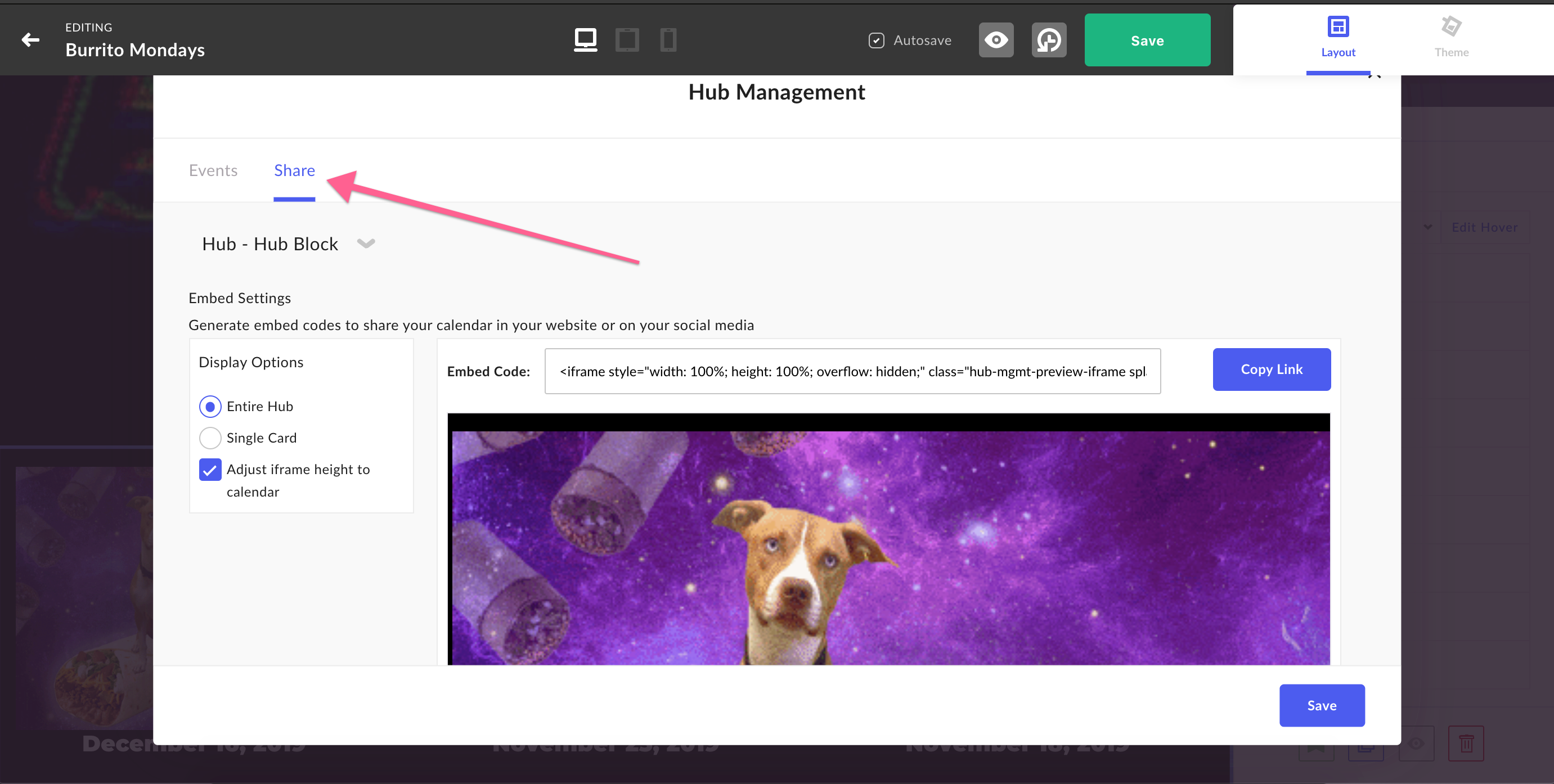
Did you know that Splash Hubs come with a copy-and-paste embed code?
That means you can embed your Hubs anywhere, including:
— Non-Splash pages, like your company's website or "Events" tab
— All of your Splash event pages, so you can get more eyeballs on your full events program
The best part: Your embedded Hub is a dynamic element.
That means by managing your Hub in one place (i.e., publishing events, removing events, etc.), all changes will be reflected everywhere it's embedded — automatically.
Follow these easy steps for locating your Hub's embed code. Then start promoting your events calendar everywhere!
EVENT HUBS
Check out the Hub Fundamentals online course for a full lesson on creating and managing an events calendar in Splash.
The Zoom and BlueJeans integrations are available to all users with a paid Splash account.
Webinar integrations are powerful because of how much work they automate — everything from webinar creation to the syncing of registration and check-in data.
Now, you can add email communication to that list.
With this release (from May), users can insert each guest's unique webinar join URL into Splash emails, including those crucial confirmations and reminders.
This allows hosts to brand and design each email, and exercise full control over their pre-event email cadence — meaning precisely when and how often their emails are sent.
For any integrated event, add one of the following tags to your emails, and Splash will do the rest.
For Zoom: [zoom_webinar_join_url]
For BlueJeans: [bluejeans_webinar_join_url]
To start using this functionality, your Splash team's Admin or Integration Specialist simply disables confirmation emails from being sent from Zoom or BlueJeans. It's a single checkbox in the Integrations Manager.

WEBINAR INTEGRATIONS
Webinar integrations can be configured by users in the Admin and Integration Specialist roles. To get started, log into Splash and select Integrations in the lefthand sidebar. Learn how to set up the Zoom and BlueJeans integrations inside the Help Center.
The Salesforce Sales Cloud integration is available to all users with a paid account.
"Once a user finds out Splash integrates with the Salesforce Campaign Object, a light instantly goes on," explained Sarah Duffy, Splash Solutions Consultant. "It's the perfect link between event data and business impact."
With this update from May, that golden connection between the Splash event and Salesforce campaign got a nice injection of flexibility in the form of three new mappable fields:
The availability of these fields allows more control over how you pull important event data into Salesforce and generate new campaigns, allowing for cleaner automation and less maintenance.
If integrations are Greek to you, no worries! Share this update with your Salesforce Admin. They'll get it.
To quote Sarah (or was it Pusha-T?): "If you know, you know."

"This update enables flexibility to pick and choose how you map the data, and make sure the Campaign Object is built exactly how you need."
Sarah Duffy, Solutions Consultant
SALESFORCE INTEGRATION
The Salesforce integration can be accessed by users in the Admin and Integration Specialist roles. To get started, log into Splash and select Integrations in the lefthand sidebar. Learn how to set up the integration inside the Help Center.
All Splash event page visitors will benefit from these improvements.
No matter how many events you've attended, the excitement of receiving a beautiful invitation and clicking the registration button never gets old.
We take accessibility seriously because we want every guest to experience that delight, regardless of how they're viewing your event.
That's why, as our own Rachel Schweitzer, Senior Customer Success Manager, explained, "Our product and engineering teams worked furiously in 2021 to make improvements to the accessibility and usability of all attendee-facing pages."
With this update, guests using screen-readers or keyboard control navigation can easily explore a Splash page and register — even if the form has several required questions.
These updates were developed with WCAG 2.1 AA standards in mind.
ABOUT ACCESSIBILITY
There is no extra work required by event hosts to make their event pages accessible. However, here are some pro tips that'll help further enhance the your guest experience.
Social RSVP is available to users with a paid Splash plan.
There are few things online as delightful as auto-fill. Now, imagine being able to give that gift to every guest that reaches your registration form.
With Social RSVP, released in January, guests can register to your events faster than ever using Facebook or LinkedIn, while you, the host, reap the benefit of clean and connected data. That's a win-win.
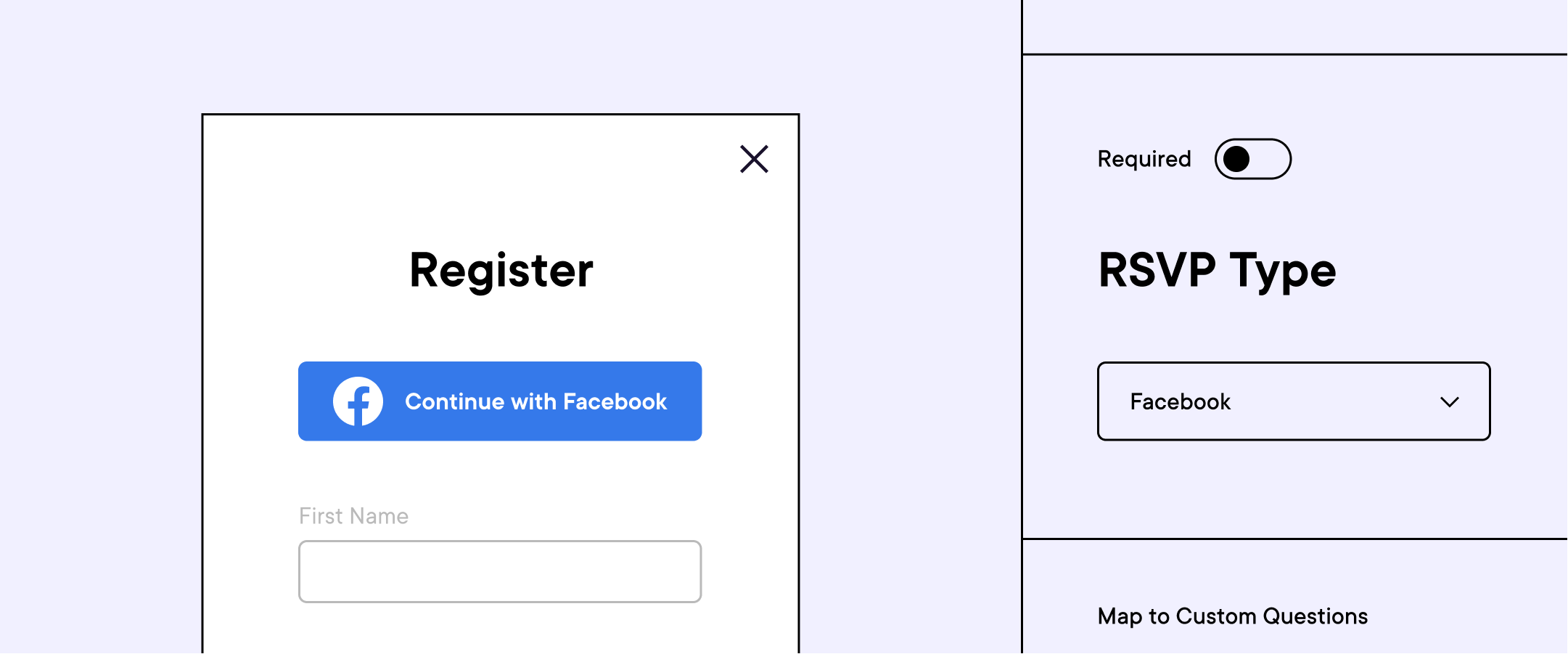
To begin using this functionality, just add the Social RSVP question to any form, and choose Facebook or LinkedIn.
Yup, it's really that easy.
USING SOCIAL RSVP
You can add RSVP with Facebook or LinkedIn to your event by selecting the Social RSVP question after clicking Add Question in the Form touchpoint.
In 2021, the Splash team doubled down on supporting users in every possible way.
The three biggest releases moments for Support in 2021 were:
Our Support team looks forward to working with you in 2022. Come visit us at Help Center any time you need a hand!
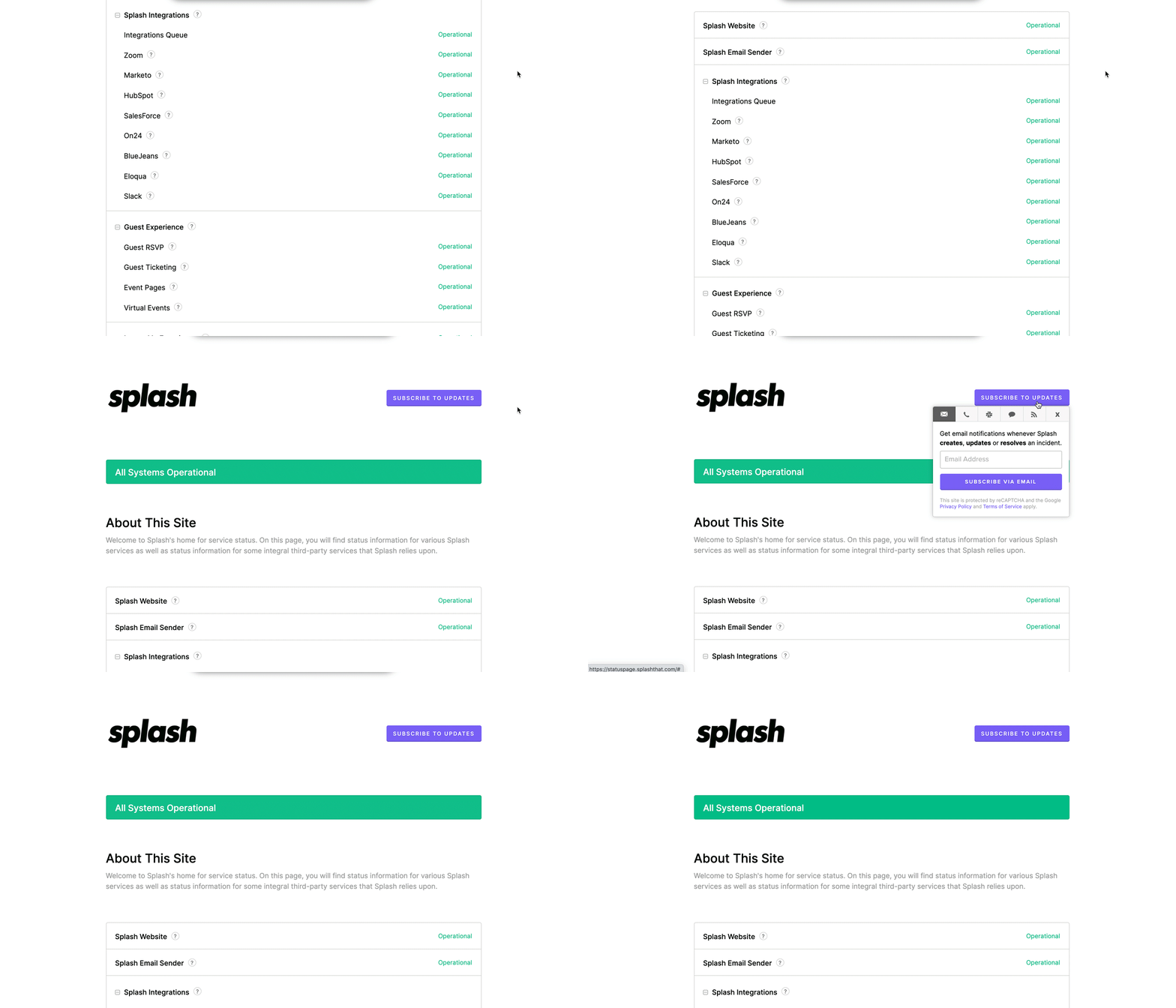
Our Status page allows you to monitor the Splash site for performance, including general uptime, platform tools, the guest experience, third-party integrations, ticketing, and more. You can even subscribe for updates and follow the progress of specific issues.
Making it easy for anyone to create beautiful, on-brand events will always be our top priority.
So this past year, Splash released more than a dozen new Branded Themes to its public library!
These included some of our most visually innovative and comprehensive theme designs to date — for pretty much every use case you can imagine.
The final list is nothing short of a holiday miracle:
1. "Access" - This theme is built for maximum accessibility and optimized for recruiting events.
2. "Hybrid" - As its name suggest, this is perfect for events that are part-IRL and part-virtual.
3-5. "Gallery Collection" - This collection is built for speedy setup. Get up and running fast with minimal content updates.
6. "Bilingual" - Every text element comes with a twin element, making it easy to run an event in two languages.
7. "Splash Pride" - The most colorful theme in our collection is perfect for any event celebrating Pride or backing a charitable cause.
8. "Dream" - Built for events taking place at Dreamforce, this theme is also optimized for any field marketing activation.
9. "Activate" - This Hub template is perfect for showcasing an event series or roadshow.
10. "Reinvent" - This theme is a game-changer for live or virtual programming at the AWS re:Invent conference.
11. "Revival" - This theme is designed for virtual events that need to produce business results.
12. "Jumpstart" - This Hub template is built for launching a new event calendar, roadshow, or event series.
USING BRANDED THEMES
Users with a paid account have access to every new theme that Splash releases. Just create a new event and browse more than 30 available templates in the Branded category.
Team Manager is available to Admins and Group Managers with paid Splash accounts.
Anyone who has run an events program at scale knows the motivational posters are right:
Together Everyone Achieves More
Released to General Availability in early 2021, Team Manager makes setting up and empowering your Splash team easy.
In a simple interface, users in the Admin role (i.e., program leaders) can add and remove users from their Splash team, assign users one of seven different roles, and place users in groups for collaboration.
This release was a game-changer for a few reasons:
1. When users are in the right role, the margin for error decreases.
Nothing eliminates "rogue" events better than dialed-in roles and permissions and clear rules for collaboration.
2. Admins are able to focus on empowerment.
This means Admins can share brand assets, custom event templates, and compliant registration forms with everyone on the team.
They can also preconfigure integrations, eliminating the possibility of lost or un-synced data.
3. Self-service is the ultimate work hack.
The more teams are able to share the load, the better they can focus on what's most important: delivering memorable event experiences.
To get started with Team Manager today, just log into Splash and select Team in the lefthand sidebar.
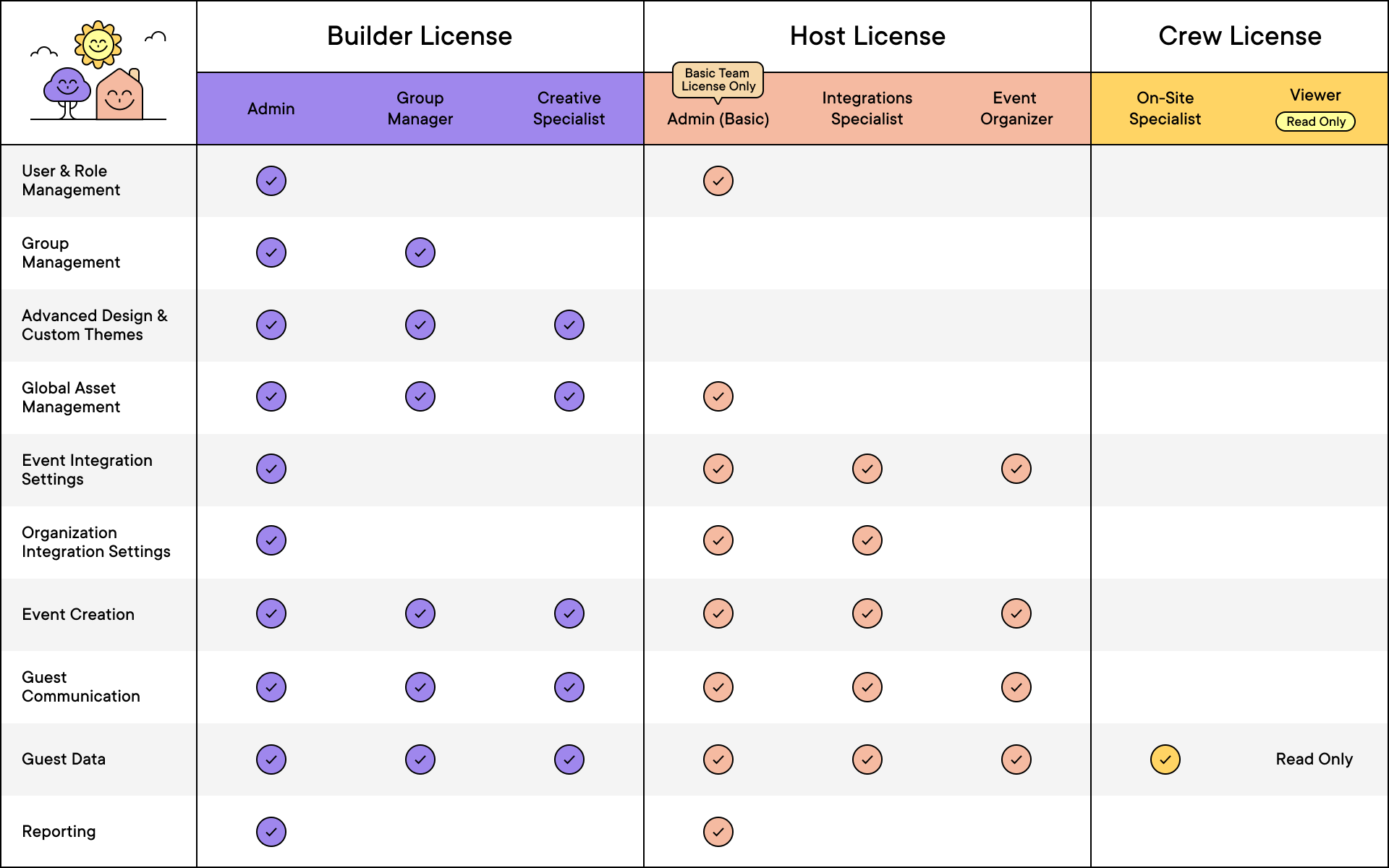
Admins can choose one of seven roles (above) when adding or editing users on their team. Each role defines the permissions to features and functionalities for that user.
USING TEAM MANAGER
To get started with Team Manager, just log into Splash and select Team in the lefthand sidebar. Learn more about how Team Manager works inside the Help Center.
The Library is available to all users with a paid Splash account.
Now, we're at the part of the countdown where we're talking about features that fundamentally changed the way users work in Splash.
And no feature released in 2021 had a bigger impact on efficiency, consistency, and time-saving than did the Library.
Think of the Library as a control center for every single asset your team uses in Splash.
For those scoring at home, that's three of Splash's most powerful tools rolled into a single release!
Check out this article for our recommended articles on Asset Management. And be sure to take Splash's free online course on how to use the Brand Library.
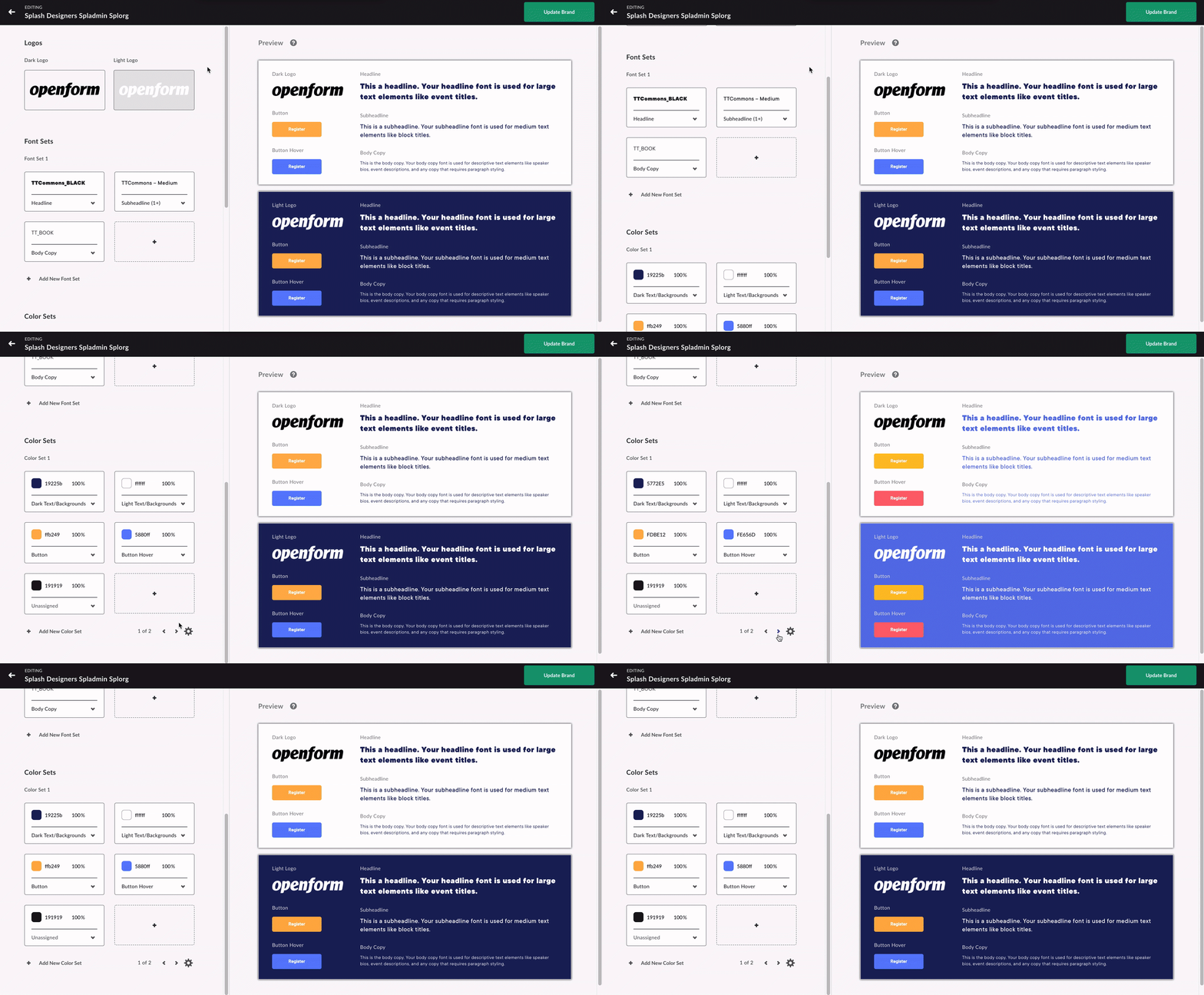
USING THE SPLASH LIBRARY
To get started right now, log into Splash and select Library in the lefthand sidebar. Learn more about how set up your Library using this Help Center article.
Virtual Event Page is available to all users with a paid Splash account.
Our one 2021 would have been number one just about any other year — the Virtual Event Page.
This release came along at the height of virtual events, and just as "Zoom fatigue" became synonymous with working from home.
Virtual Event Page helped usher in a new wave innovation on the Splash platform, making it easy for anyone to transform a status quo webinar into beautiful, on-brand experiences.
This year, we saw thousands of virtual events hosted using the Virtual Event Page — attended by several million virtual attendees.
VEP's unmatched versatility still reigns supreme, making it the engine that powers what will likely be our the number one release of 2022 (that's what we call a tease!).
Join the New in Splash webinar on January 20 to find out what's coming next.
GET STARTED WITH VIRTUAL EVENT PAGE
Learn more about Virtual Event Page in the Help Center. And for a deeper dive, just enroll in this free online course.
Our product and engineering teams are always working on the next big thing. Subscribe to What’s New to keep up to date, and to browse the formidable catalog of platform updates past.
Here's to running best-in-class programs, one virtual event at a time.