

Announced at our February 18 launch event, Splash Studio↓ is a new solution that allows you to create — and host — interactive virtual and hybrid events in Splash. This includes HD streaming, audience engagement, presenter management, and live networking.
Officially in beta is one of the most anticipated features in recent memory — Virtual Sessions↓— an intuitive way for attendees to navigate a lineup of breakout programming.
But the upgrades to your virtual programming don't end there.
Guests joining Zoom events in the Virtual Event Page can now use Zoom reactions and virtual backgrounds↓.
Plus, we made it easier to make your virtual events live on as on-demand content. The Appeal Branded Theme↓ is a super stylish new Hub template for showcasing all your program's past events.
Splash Studio can be added to any Splash Pro or Enterprise plan. Visit the Splash Studio product page to learn more about pricing and packages.
In case you missed it, virtual events aren’t going away.
That's why last month we launched Splash Studio, a virtual and hybrid event solution with built-in live streaming, audience engagement, and networking.
Splash Studio was created to unleash host creativity so marketers can focus on meaningful programming — not configuring backend details.
So, it's dead simple to spin up an event in Splash Studio.
Streaming quality is clear, tools for audience interaction are built right in, and networking circles take audiences beyond the screen to connect with other guests and create memorable experiences of all kinds:
Want to learn more?
The Splash Studio hub has everything from our press release to nitty-gritty details on functionality and use-cases. Or, signup for our weekly product demo — Meet Splash Studio — so you can learn more as you're experiencing Studio as an attendee.
Splash Studio Access
Splash Studio can be added to any Splash Pro or Enterprise plan. Visit the Splash Studio product page to learn more about pricing and packages.
As virtual programming evolves, so do the needs of our users.
And a request we've been hearing a whole lot lately is the ability to offer attendees more options and more autonomy in experiencing content.
In other words, a frictionless way to host multi-session events.
Introducing: Virtual Sessions
Currently in beta, Virtual Sessions is an intuitive way for guests of virtual events to choose their own adventures.
Attending in Splash's branded Virtual Event Page, guests are able to see what sessions are coming up and happening now — and then easily jump to what they want to attend. This includes being able to navigate between sessions that are being hosted simultaneously.
Virtual Sessions also offer hosts the utmost flexibility: Zoom, YouTube Live, Vimeo, BlueJeans and most other streaming services can be easily embedded.
For a sneak peek, check out a demo (below) of the guest experience from Splash's Allie DeCastro, who also did a more comprehensive presentation at last month's New in Splash webinar (skip ahead to 39:45).
Virtual Event Page is available to all users with a paid Splash plan.
Splash + Zoom remains one of the most popular setups for Splash customers hosting virtual events.
It's proven. It's easy. And when paired with Virtual Event Page, Zoom events can look pretty amazing!
So, when fun new Zoom functionality is available in Splash — we call these "Zoom-provements" — it's always cause for a mini celebration.
As of our most recent release, guests joining Zoom events in Virtual Event Page can:
How sweet is that?
If you're not using Splash + Zoom, check out this quick video to learn more.

Splash + Zoom
There are multiple ways to use Zoom with Splash. Check out this video to learn more about your options.
The Appeal Branded Theme is available to all users with a paid Splash plan.
The sneaky advantage of virtual events: they're recorded. So unlike an IRL event, you don't need a video crew to capture the experience.
But what good is an abundance of great content if you don't have a way to organize and promote it?
Meet the Appeal Branded Theme — a stunning new Hub template for displaying a library of on-demand event content.
Here's how it works:
1. Simply publish any of your post-event pages to your Hub page.
You can even use the Add External Event option to link out to content that isn't hosted in Splash.
2. Once published, the events will be listed in the On-Demand section of your Hub.
It'll appear as a fully designed and clickable tile, which includes an image, keyword tag, and brief description.
3. As your library of on-demand grows, your Hub will keep it organized.
Guests will be able to use the search bar and event type filter to find the content they want to see.
The Hub also comes with a "Show More" button so no more than 12 event tiles are visible before clicking.
If marketing post-event content in Splash is new to you, just check out this strategy guide.
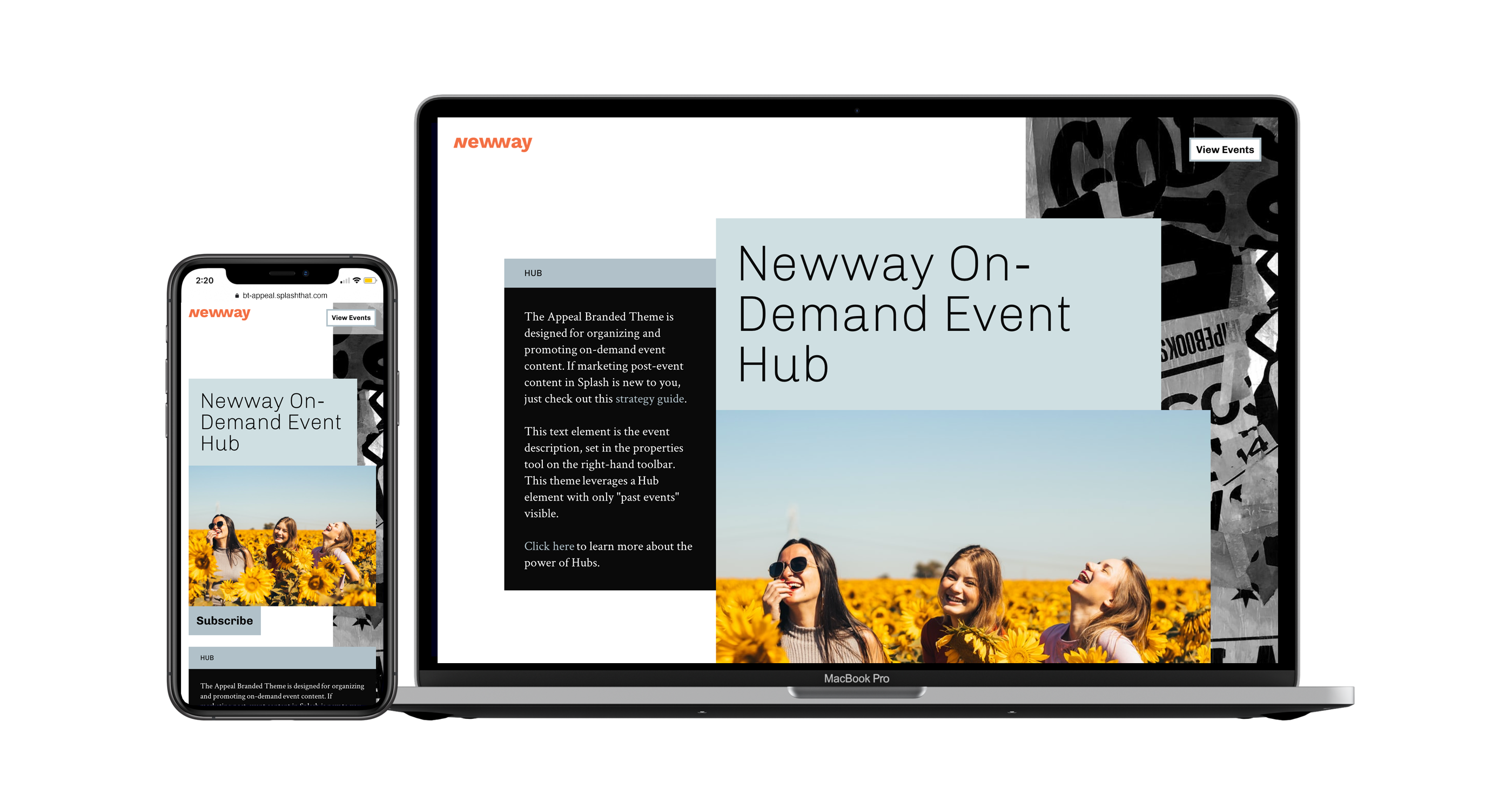
Appeal Branded Theme
To use the Appeal Branded Theme, create a new event and choose Hub as your event type.
Our product and engineering teams are always working on the next big thing. Subscribe to What’s New to keep up to date, and to browse the formidable catalog of platform updates past.
Here's to running best-in-class programs, one virtual event at a time.Coming in "like a lion," as the old saying goes, March features two of the biggest Splash releases of 2022.