

Featuring Forms Library, simpler live programs, and more.
Remember when in-person, conversion-heavy events were put in a blender, mixed with a sprinkle of pandemic, and poured? A whole lot of unknown-unknowns filled your plate. So, we all pivoted to embrace the webinar. Then the dreaded "fatigue" set in.
It’s time to shake things up. You need a way to run events that keep your audience’s attention — and convert. That’s why we’re raffling off a virtual event makeover, complete with 1:1 advice from industry experts. Click here for your chance to win.
That's also why this month’s product updates are all about creating flawless live programs. Check out our announcement video and read on for details.
Watch the announcement.
This month's Virtual Event Page updates ↓ give your virtual attendees a clear CTA with an on-screen button. Plus, you can now select the email sender of your choice to deliver check-in links.
With Forms Library ↓, guarantee that your guest registration experience is simple and compliant. This is a must-have for the transitions between virtual, hybrid, and in-person formats. Join us for a Library webinar for a deep dive.
In an era of virtual events, registration conversions are more important than ever. That's why our new Branded Theme ↓ puts a form front and center to kick the guest experience — and valuable data collection — off right.
Finally, it wouldn't be a makeover without a refreshed way to get Splash help ↓. Starting now, you'll find members of our team in our community Slack workspace.
Since Halloween is around the corner, we're throwing in some extra feature goodies ↓. They come in the form of a highly requested event page redirect and Activity Log for event-level integrations.
Applying these updates give you more than a little foundation to run next-gen events. Let's dive in.
These improvements are available to users with a paid Splash plan.
Good things come in pairs. The first good thing: a button. But not just any button — one that stays front-and-center with your attendees as they watch your live event. Format it the way you like, and direct viewers to the highest-value next step you can think of: downloadable content, a subscription, your next event ... anything with a link.
The second good thing: a mappable field. But not just any mappable field — one that allows you to create a token of your guests' unique check-in links. When you use Splash for virtual events, your guests receive an invitation email with a personalized link that allows them, and only them, to access your event. Now you can send that email from your preferred email provider.
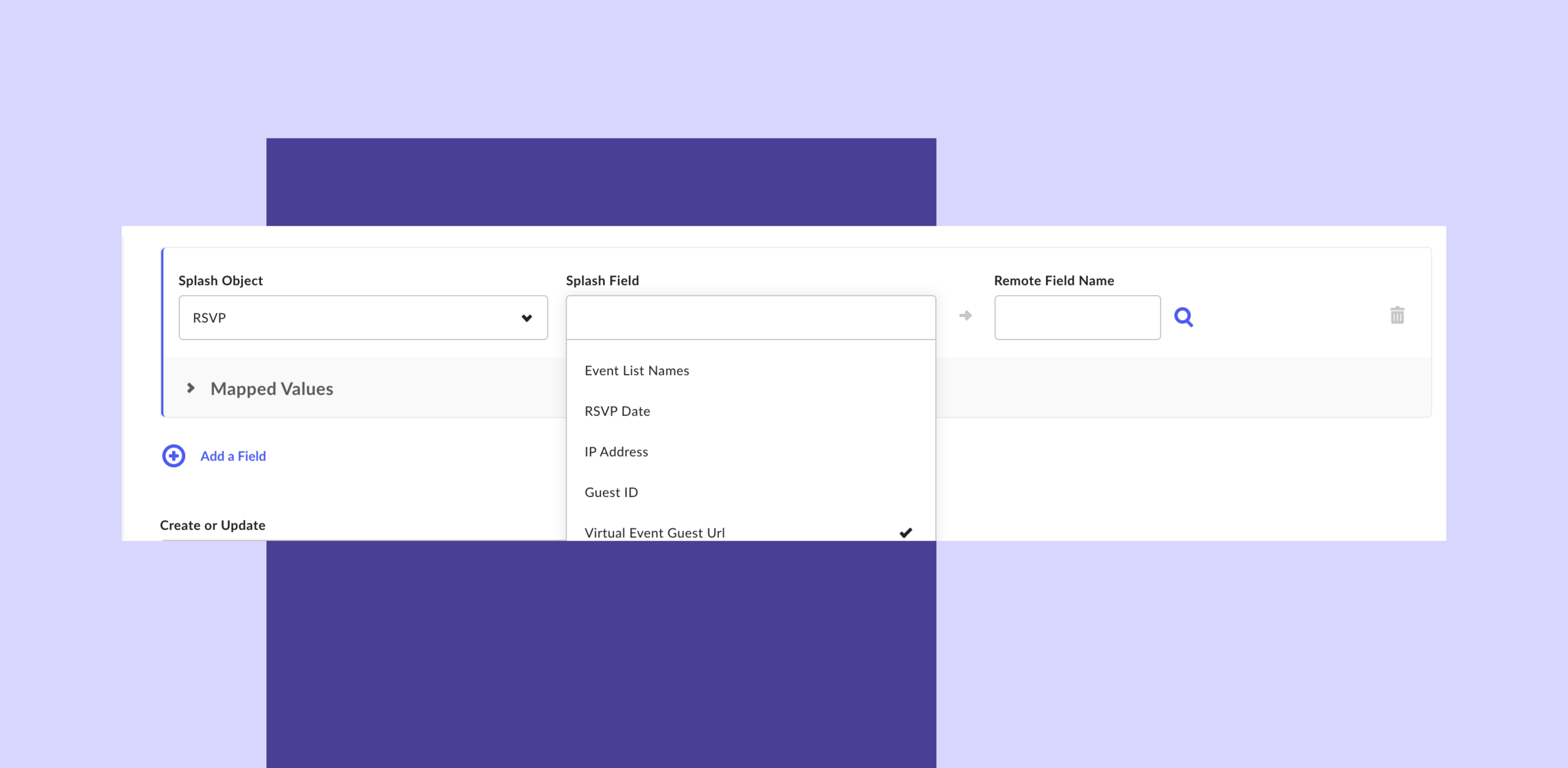
As the needs of your guests evolve, so too does Splash. According to Engineering Manager Devin Marsh, "We're making it possible to use Splash with your existing tech stack, so that you can take advantage of branded, engagement-first functionality without sacrificing the processes that already work for your team."
Keep your feedback coming so we can continue delivering features that equip you to run the best-performing virtual event programs possible.
Using the Virtual Event Page
Learn more about how the Virtual Event Page touchpoint works in the Help Center. If you haven't yet, sign up for the beta program to access this touchpoint.
This feature is available to users with a paid Splash plan.
First things first. Join us at the Library webinar to learn how marketing pros can now upload, manage, and maintain their approved digital assets in Splash.
One of those digital assets: registration forms. This month, you will see a new tab in your Library for Forms. If you've ever built the perfect registration experience, you know how much time it takes to perfect the flow of questions (maybe using conditional logic), adhere to compliance standards, and ensure beautiful design.
Now you can save that perfect form — and others like it — to your Forms Library, and allow others on your team to apply it to their events. This is what consistent, elegant guest experiences are made of.

Build a bank of registration forms that meet your internal guidelines, data privacy requirements, and an ideal guest flow.
"If your event programs are anything like ours, the transition to virtual has required some changes to your registration form. With Forms Library, ensure your team is set up for success to collect all the appropriate guest information." - Mike Siegel, Sr. Product Manager
Using Forms Library
Forms Library will be added automatically to your Library tab in Splash in early November. Learn more about it in the Help Center.
Organizations not yet set up with Team Manager can get Forms Library by joining the beta program.
Branded Themes are available to users with a paid Splash plan.
Quick refresher: Branded Themes are sets of event marketing templates that work together really well. They come with event pages, emails, share cards, and registration forms that leverage tags (like event name and location) to make setup fast. And they're all designed with the same fonts, colors, and logos.
The new Branded Theme is specifically designed to highlight an inline registration form. At a time when conversions count more than ever, you want to limit the number of clicks required of your guests to register for your event. Put those data collection fields right up front, above the fold, to see conversions soar — and watch your virtual room fill up.
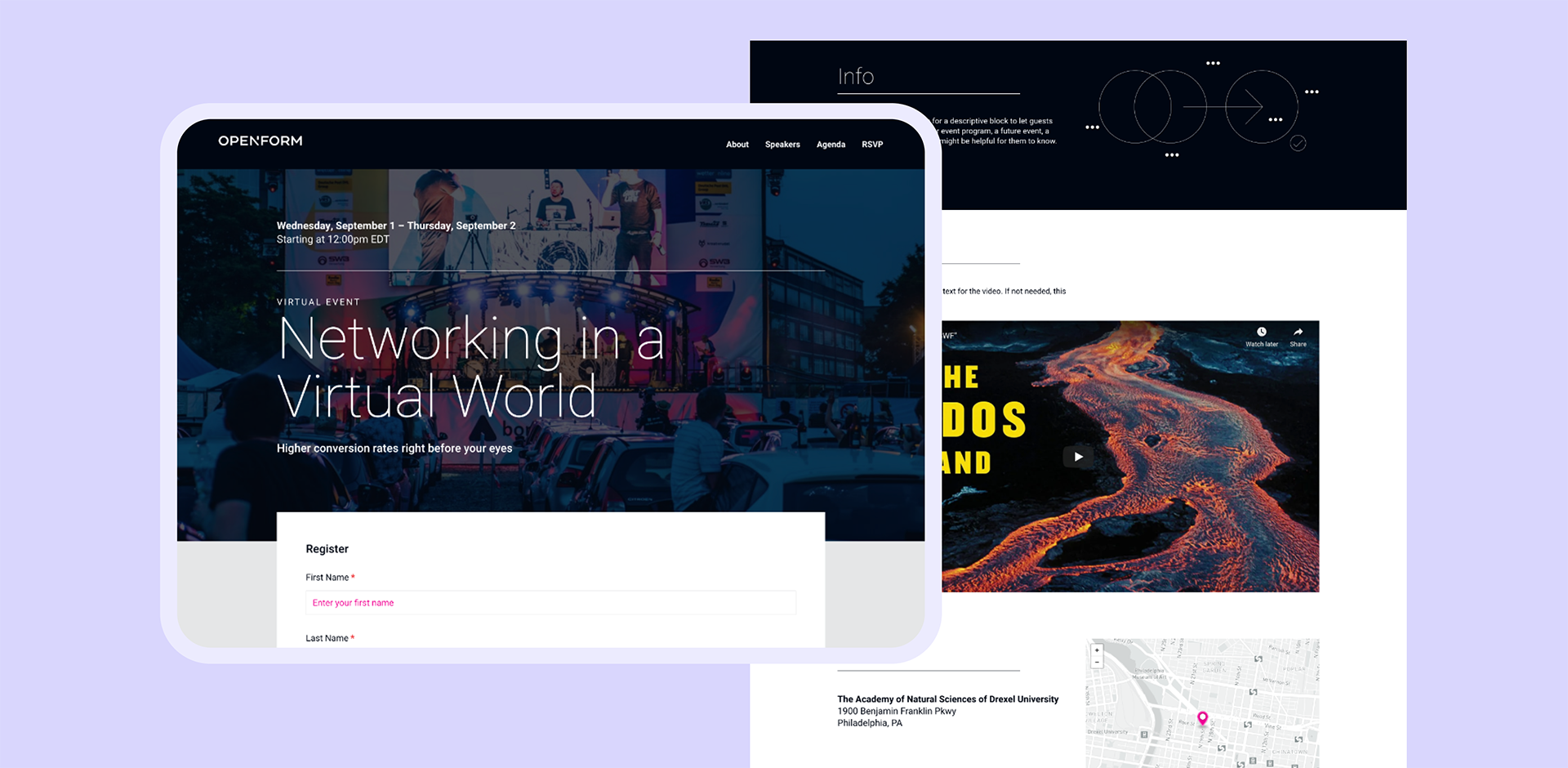
Principal Designer Alex Zahradnik said, "In an era of virtual events, registration conversions are more important than ever." That's why he built this thing. Don't let Alex down — create your next event with this theme and change the virtual event registration game forever.
Using The Branded Theme
If you're a paid Splash user, this Branded Theme is already in your library. Just create a new event, choose the Networking event category, and select Convert.
If you don't use Splash yet, preview all our Branded Themes.
The community is available to all Splash users.
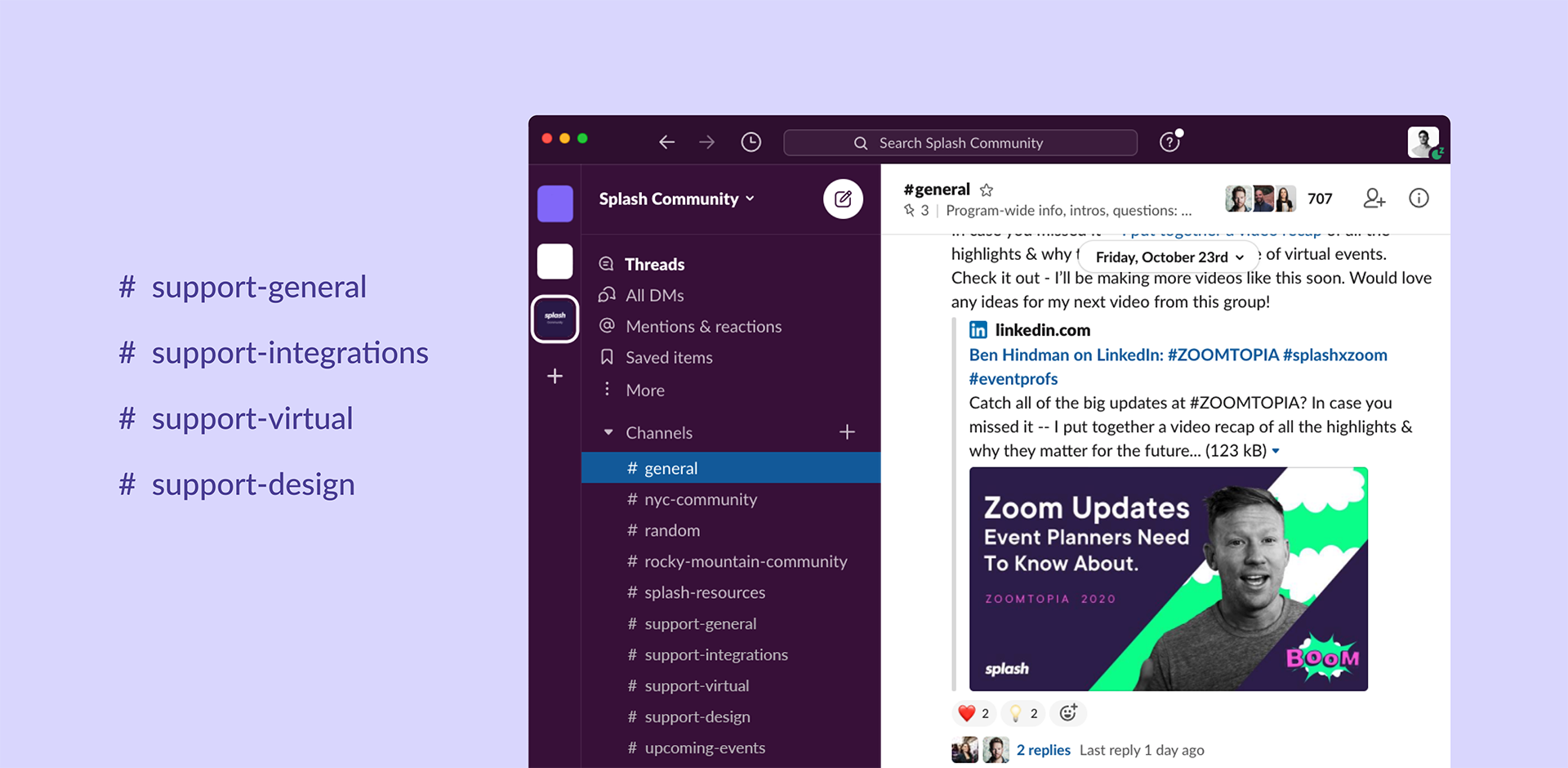
The Splash Community continues to grow on Slack — fast. With over 700 members and 25 active channels, there is very little reason to avoid the gravitational pull of asking and answering event marketing questions with the best in the biz.
Our favorite reason to join? Members from Splash's very own support team have created channels just for you. They'll come prepared with best-in-class resources: help topics, webinars, and more to hook you up with what you need to learn Splash and answer questions on your own. Drop in on Monday through Friday to get answers from our team and your best-informed peers.
Get Started on Slack
What are you waiting for? Share your knowledge — and grow your own — by joining our team and your event marketing colleagues on Slack. Get started.
These features are available to users with a paid Splash plan.
Sometimes it's the small stuff that wins the day. This month, we've got two updates begging for that attention.
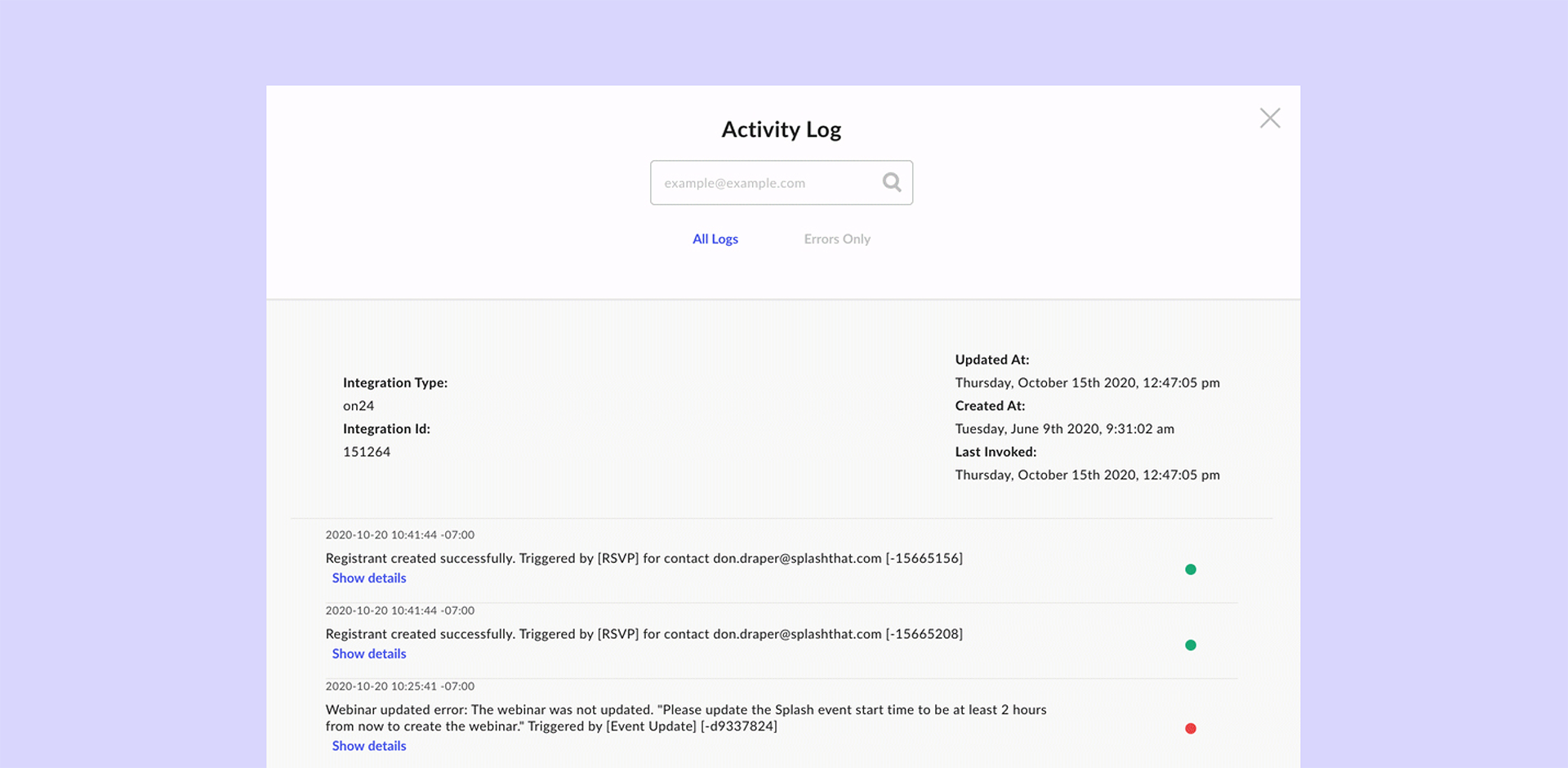
First, an Activity Log for the marketing operations pros among us. Now, each integration setting comes equipped with integration details along with event-specific integration activity. Get into details about the event integrations you care about the most — and get your answers fast.
Second, have you ever needed to redirect your event page somewhere else? Say an event's ended, there's no post-event content to share, and you want visitor attention spent elsewhere. No worries. Just click into your event settings, scroll down, and enter the URL where you wish visitors would end up. Voilá — your wish has been granted.
Feature Details
To learn more about event-level integration settings, check out the Help Center.
To learn more about redirecting your event pages, check out this other part of the Help Center.
Our product and engineering teams are always working on the next big thing. Subscribe to What’s New to keep up to date, and to browse the formidable catalog of platform updates past.
Here's to running best-in-class programs, one virtual event at a time.