

This month, the focus is on setting you up for success. Gather all the tools you have access to, develop the blueprint, and set this plan in motion:
Read on for tips on executing the above, and catch the video below to see it all in action.
Watch the announcement.
Have you taken advantage of the Library↓yet? Scaling your event program has never been easier. Keep every aspect of your events on-brand from one control center. As a designer in the tool, I identify with those of you who found updating colors, fonts, and logos for every event tedious. Library solves it.
Hopefully at this point you’ve discovered the wonderful digital venue that is the Virtual Event Page↓. This fully customizable live stream environment breathes life into your webinars and enhances the experience for your attendees from start to finish. Allow me to point out key features and excite you with what’s coming soon.
Talking virtual, I can’t wait to take you on a tour of the events we have coming up. The Double-Down On Virtual Campaign↓has already kicked off with three exciting new events to call attention to! The events feature an all-star lineup of innovators from the world of virtual events teaching best practices for the newest virtual hosts, to the savviest of veterans.
Accessibility is no longer a new consideration when it comes to event design and management. It’s the norm. Last month, Splash made major upgrades to friction-free registration. Continuing that progress, there is a newly released branded theme named Access↓. Not only is this theme engineered to be accessible, it’s also a perfect option for recruiting-based events.
If you haven’t explored the Library yet, you’re missing out. Splash makes it easy to create beautiful event marketing assets that are always on-brand — and allow anyone on your team to spin up compliant event programs.
Every painter organizes their paints on their palette and neatly lays out their brushes before they create their masterpiece. I think of the Brand Library like this. Before I even consider creating a new event, I make sure my team is set up for success.
The Brand Library collects brand-approved logos, fonts, and colors, then funnels them into every touchpoint throughout the event lifecycle. And implementation couldn’t be easier. Event creators can assign colors and typefaces to different components in advance. Then, upon event creation, the theme I select will be automatically re-skinned to match the core branding I’ve established. Pretty cool, right?
Designers aren’t limited to a one-size-fits-all restriction either. Explore using multiple color and font sets to create more wiggle room for a different look and feel for your events moving forward. Additionally, having light and dark versions of your logo creates more options for your core entity to pop on any background. In the common instance where your brand guidelines evolve, you can update the brand at any time. Feel free to exhale.

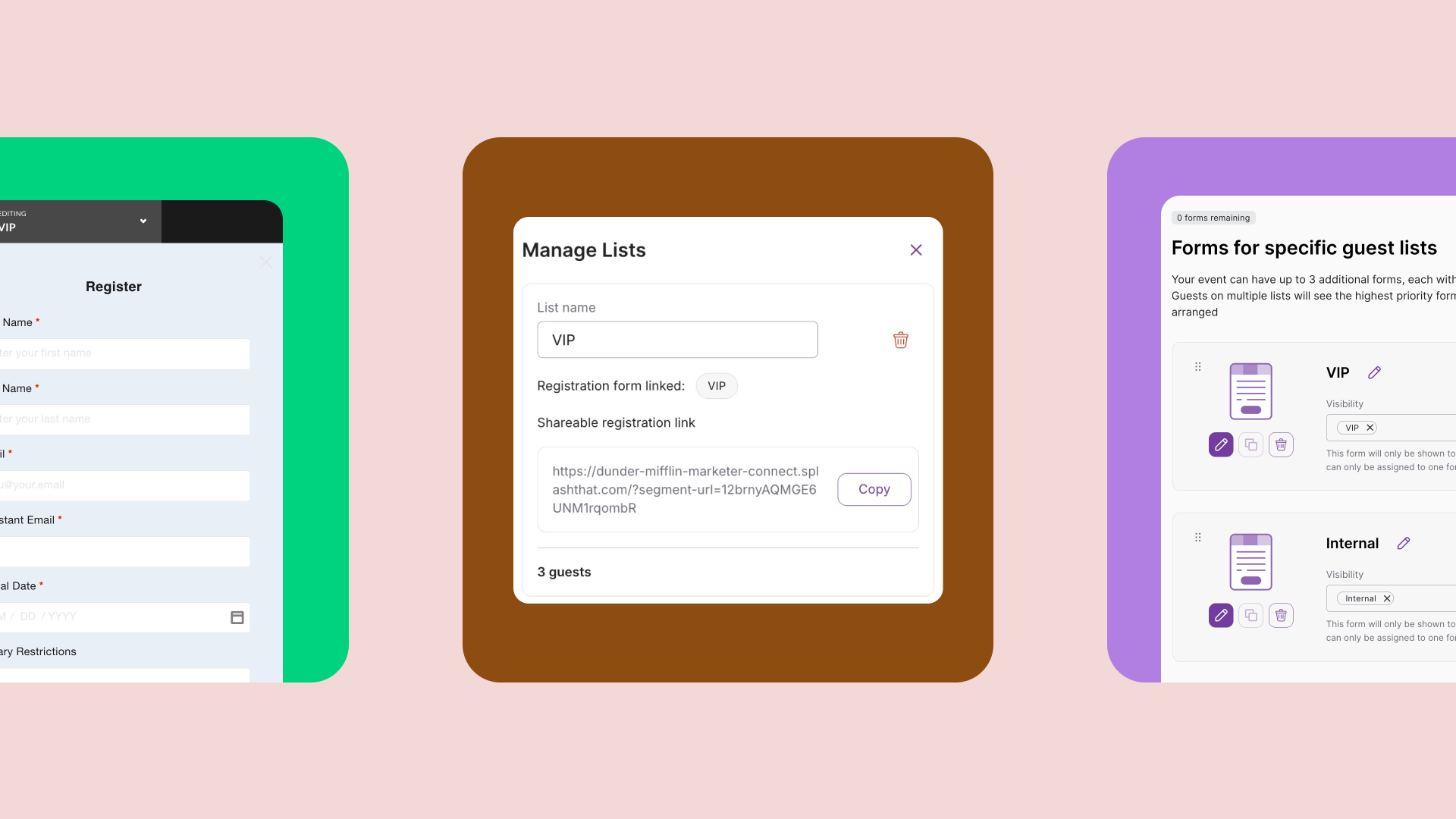
The fun doesn’t stop there. After establishing the brand, designers are invited to travel into the land of custom registration forms. The Form Library’s main goals are to:
Confidence builds as soon as you click into the form workspace and see that your brand colors and fonts have already been pulled in, making it easy to keep the registration experience tidy.
Once I develop the perfect form, I can save it to lock updates I’ve made to colors, sizing, and the new questions I’ve added. I have the option to apply the form to a theme or an individual event as well. This saves my team time and keeps my mind at ease moving forward knowing they’ll always use the correct form each time they create an event. Similar to the Brand Library, updates can be made to any form at any time as my registration strategy continues to evolve.

Finally, the Themes Library. In the world of Splash, themes are a holy grail feature that allow you to scale your event program. Think of a theme like a template for your program, complete with a page design, registration form, and collection of email templates that get your team up and running faster.
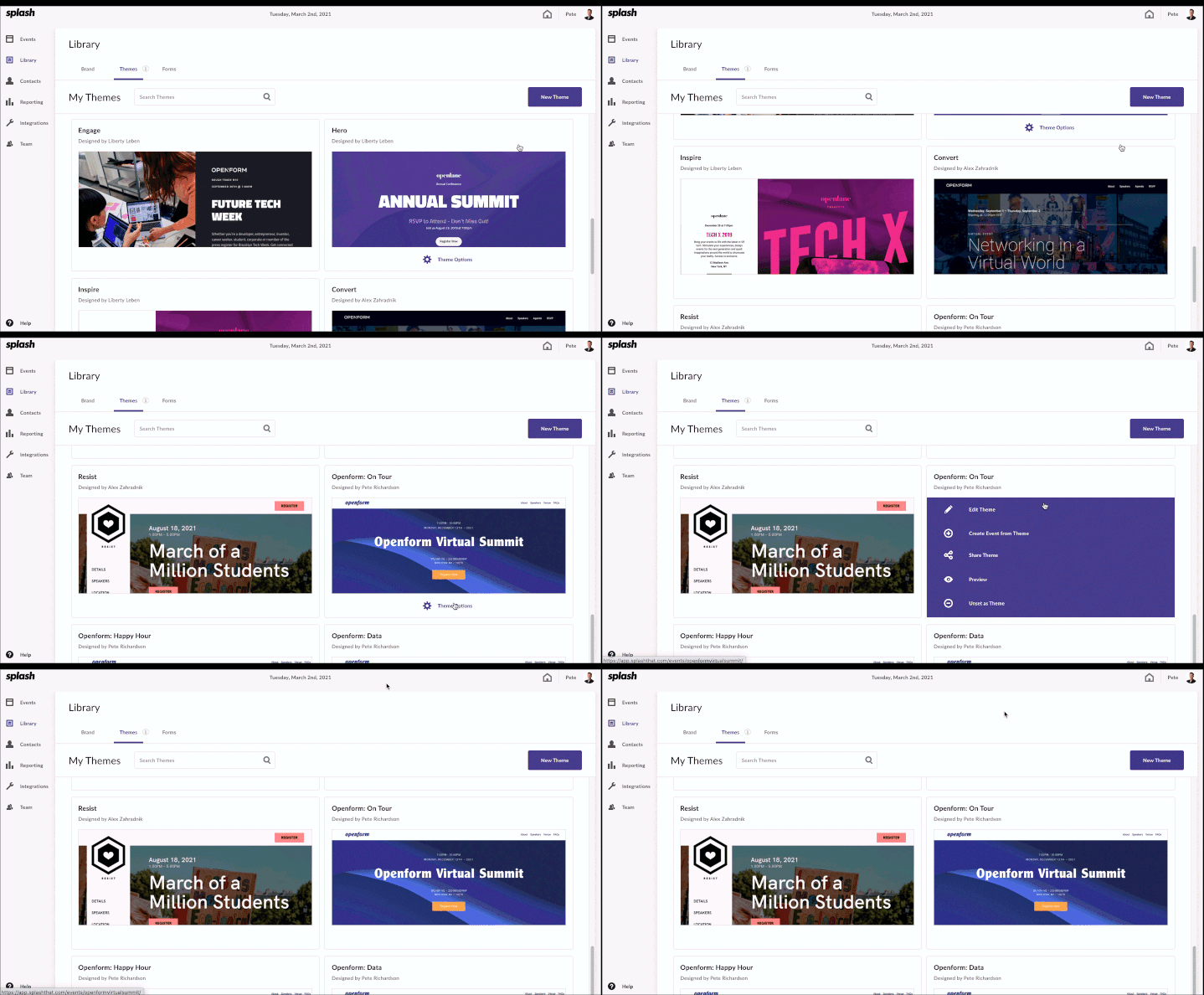
Ready-to-use, on-brand templates are right here in your dashboard. Theme creation can start by clicking the call to action button inside the Theme Library or by saving an existing event as a Theme within the Event Page touchpoint. Your Theme Library may also be populated with themes that teammates have shared with you.
Theme Options allow event creators to:
The Brand, Form, and Themes Library are not meant to be separate entities, but one constantly evolving team of visual goodness. The sooner you embrace Library, the faster your events will scale moving forward. Once it's set up, you’re good to go. Library makes it easy for anyone in your organization to create a best-in-class event.
"Library was brought to life from product improvement suggestions we've received from our customers over the years. It drives compliance and efficiency by centralizing the disparate pieces of an event."
ALLIE DECASTRO, SR. PRODUCT DESIGNER
To get started right now, just log into Splash and select Library in the lefthand sidebar. Learn more about how Library works inside the Help Center.
In February, there were new and really exciting additions to the functionality of the Virtual Event Page. In case you missed it:
Piggy-backing off of that momentum, there are more upcoming things planned. For example, there will soon be in-product prompts reminding the virtual event creator to include the guest’s Virtual Event URL on attendee communications. This will help the host ensure their attendees have multiple areas to check-in and step inside those virtual doors.
Have you been champing at the bit to use the Virtual Event Page for your next event? Good news: It’s now generally available for everyone. Don’t forget to visit the brand-new Virtual Event Page online course so you can become a true power user. And if you send Splash a picture of your certificate, you’ll get a Starbucks gift card. Event marketing skill-building AND caffeine? Sheesh.
In need of a full walk-through? Join the weekly product demo every Wednesday at noon ET.
As always, please continue to share your feedback so we can continue to provide you with an even better product experience.
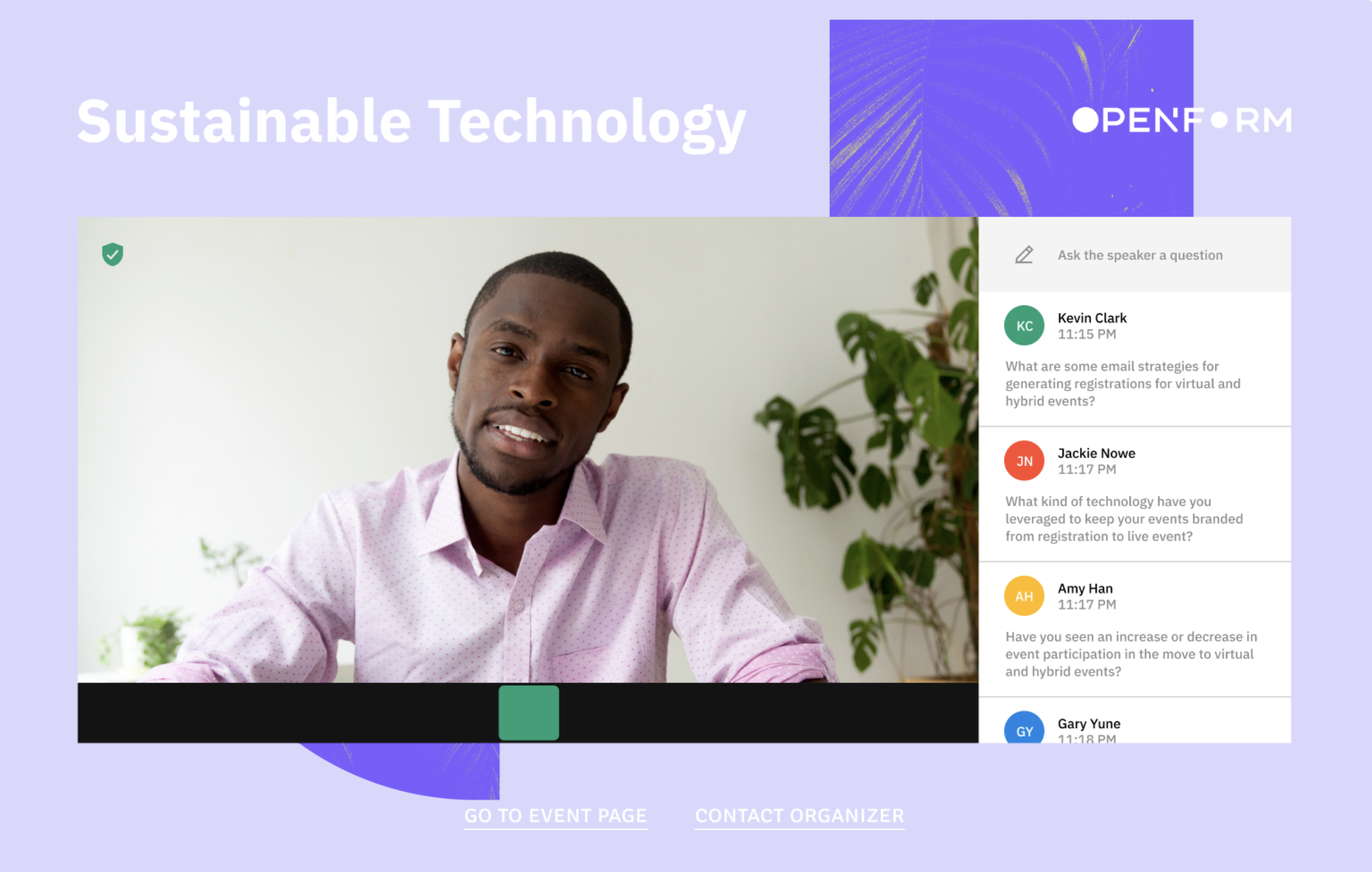
Looking to learn more about the Virtual Event Page? This handy 101 guide is your answer.
Cards on the table: Not all virtual events are great. But programs doubling down with the right engagement strategy are hitting the ROI jackpot.
Over three events, you'll hear from Slack, Thrillist, and Slido on how their teams are winning big with online programs. This series has something for everybody — so join us for one or register for the trifecta.
Hit The Virtual Programming Jackpot, kicking off March 4, is aimed at the marketing and event program managers, but still open to all. If you're savvy, strategic, and rewriting the playbook for live programs, this is your wheelhouse.
Hosts Piper Stull-Lane and Camille White-Stern from Splash will be joined by marketing leaders Amanda Warren from Slido, and Danny Stefanic from Mootup in their quest to uncover the most engaging guest experiences in 2021.
The hosts are going beyond the live stream to unveil best-in-class online programs. Take-home examples and engagement tech recommendations come free.
This session features a raffle for live attendees — so bring your best self and lucky dice.
Closing this three-part event series out is our March 11 event, Game-Winning Virtual Engagement Strategy. It’s sure to scintillate, especially if you’re an industry exec or C-suite leader.
The event industry has evolved a ton in the past year and, spoiler alert, it isn’t going to level out any time soon. The virtual attendee expectation is growing, and it’s important for technology to keep pace. Winning once is lucky. Now, can you repeat that over and over?
Join Splash’s VP of Marketing, Sasha Pasulka, for a sit-down with Slack’s Head of Global Event & Field Marketing, Amy Barone. They’ll discuss why Slack is doubling down on virtual, and why going all-in on audience engagement is the smartest bet for long-term success.
The first event, Create Virtual Events People Actually Want to Attend, took place on February 25 and is now available on-demand. The livestream included a bonanza of best practices for all event marketing types.
Virtual event experts Amanda Warren from Slido and Alexandra Vaduva from Walls.io joined Zach Napolitano from Splash as they discussed tips on how to enhance the interactive side of the virtual experience. Viewers learned how to captivate their audiences, which engagement tools they should care about, and how to perfect the virtual experience in Splash.
To access the full calendar of Double-Down On Virtual Events and book your tickets today, head to the main event hub page.
As mentioned above, accessibility is a key aspect of successful event execution. Every attendee is unique, a simple fact worth celebrating.
Splash's product and engineering teams have been putting in the hard work to make sure that event page exploration and registration is easy, even if a guest is using a screen-reader or keyboard-controlled navigation.
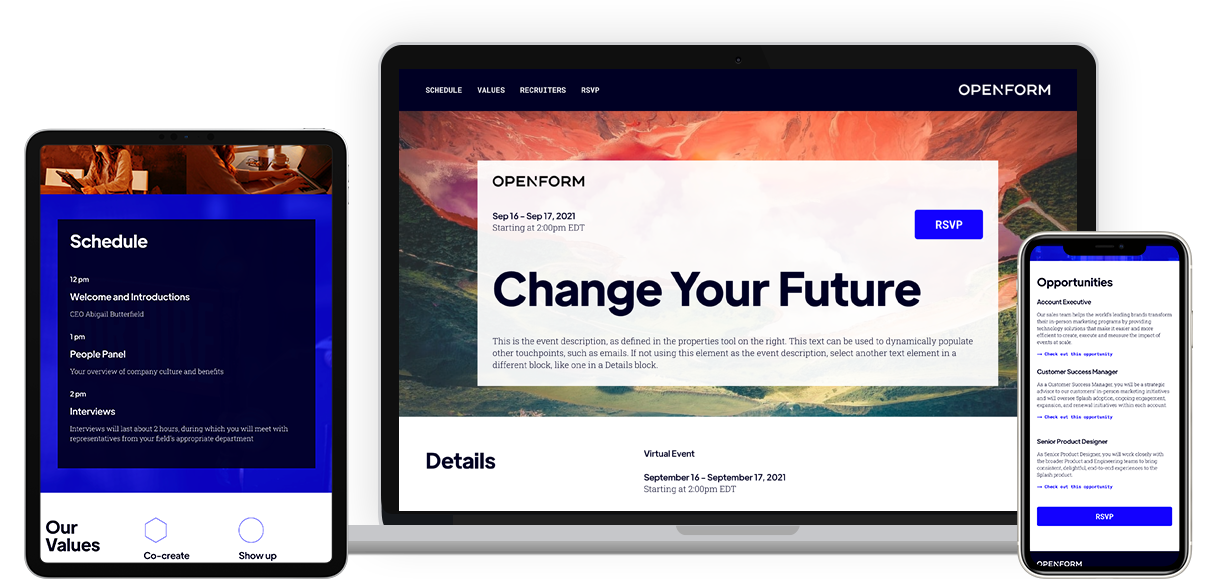
Now an option in your theme selection flow, a branded theme designed with accessibility at its core. Appropriately, it's named Access.
Available to all users, Access is a recruiting-themed template. Key features include a main call to action in the details block directing attendees to open roles as well as an opportunities block. There are sections to implement company values, featured recruiters, and even a resources block to link out to key information.
From an accessibility side, color contrast has been established throughout the theme. Text hierarchy has been applied to correctly linked elements for easy tabbed-based navigation. Alt text has also been applied to any imagery found on the theme, including within email templates.
Want to take Access for a test-drive? Click this link to create your first event with the new theme. Interested in learning more about accessibility in Splash? This Help Center article is your ticket.
Splash's product and engineering teams are always working on the next big thing. Subscribe to What’s New to keep up to date, and to browse the formidable catalog of platform updates past.
Scaling efficiently — while upholding that event programming quality bar — is the name of the game.